





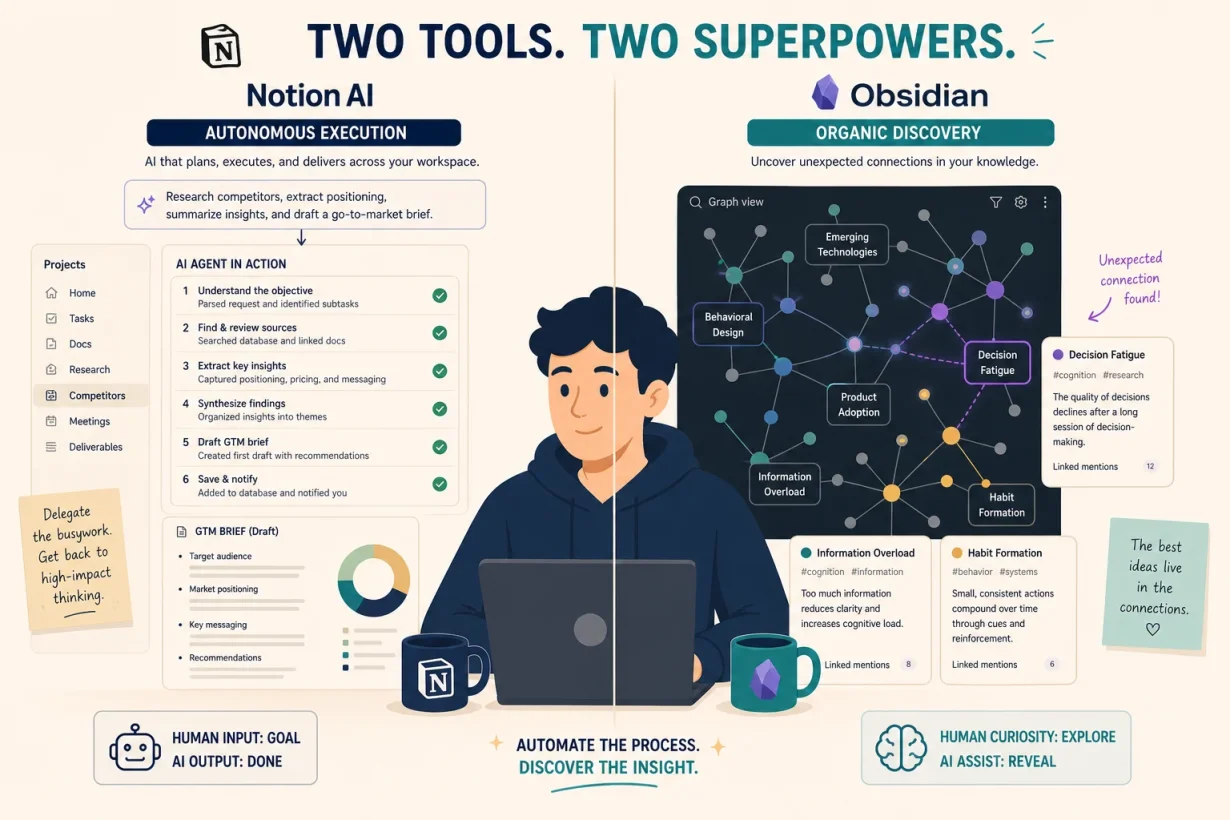

Most knowledge management tools collect information and do nothing with it. We tested Notion AI and Obsidian against real knowledge workflows for 90 days to find which one actually turns what you know into how you work. The tools are more different than their feature lists suggest. The right answer comes down to one question. Here it is.
What Are Notion AI and Obsidian?
These aren’t just different note-taking apps. They are fundamentally different philosophies about what knowledge management is for.
Notion AI is a cloud-first, collaborative workspace where information is structured, shared, and acted upon. Notion 3.0 (September 2025) rebuilt Notion AI from the ground up as a full agent that executes work autonomously: building project plans, compiling feedback from multiple sources, drafting reports, and updating database entries without manual intervention. It reached 100 million active users in Q1 2026, reflecting a platform that has moved from note-taking into operational infrastructure.
Obsidian is a local-first, privacy-focused personal knowledge graph. Every note is a plain Markdown file stored on your device. No subscription required for core use. No data on corporate servers. A visual knowledge graph shows how your ideas connect across thousands of notes, and a 2,500-plugin ecosystem extends every capability without the tool imposing any structure on how you think.
One is a thinking partner that works with your team. The other is a thinking space that belongs entirely to you.
Why the Notion AI vs Obsidian Decision Matters in 2026
Are you still storing information in a system that can’t tell you anything about what it contains?
Notion AI Agents, launched with Notion 3.0, can work autonomously for up to 20 minutes performing multi-step tasks across an entire workspace. Remote’s IT operations team saved 20 hours per week with agents that triage tickets at 95%+ accuracy and resolve 25% of them without human intervention. That is not a note-taking feature. That is operational infrastructure built on top of accumulated knowledge.
Obsidian’s plugin ecosystem crossed 2,500 community plugins in 2026, with AI-powered plugins including Smart Connections and Copilot for Obsidian seeing 300% download growth. The platform now has 1.5 million active monthly users with an average session of 43 minutes per day, achieved without venture capital and entirely on user support. These aren’t passive users. They are knowledge workers who have made Obsidian the center of how they think.
Notion AI vs Obsidian: Head-to-Head Comparison
| Notion AI | Obsidian | |
|---|---|---|
| Philosophy | Cloud-first, structured, collaborative | Local-first, organic, private |
| AI integration | Native agent (built-in, no setup) | Plugin ecosystem (Smart Connections, Copilot) |
| Data ownership | Stored on Notion’s servers | Stored locally on your device |
| Collaboration | Real-time, built-in | None natively (paid Publish for sharing) |
| Free plan | Yes (with limits) | Yes (full features, personal use) |
| AI add-on price | $10/month | Free via plugins or local models |
| Setup time | Moderate (database structure required) | High (Markdown, plugins, vault architecture) |
| Best for | Teams, structured work, operational use | Solo researchers, writers, privacy-conscious users |
Notion AI: Best for Structured, Collaborative Knowledge
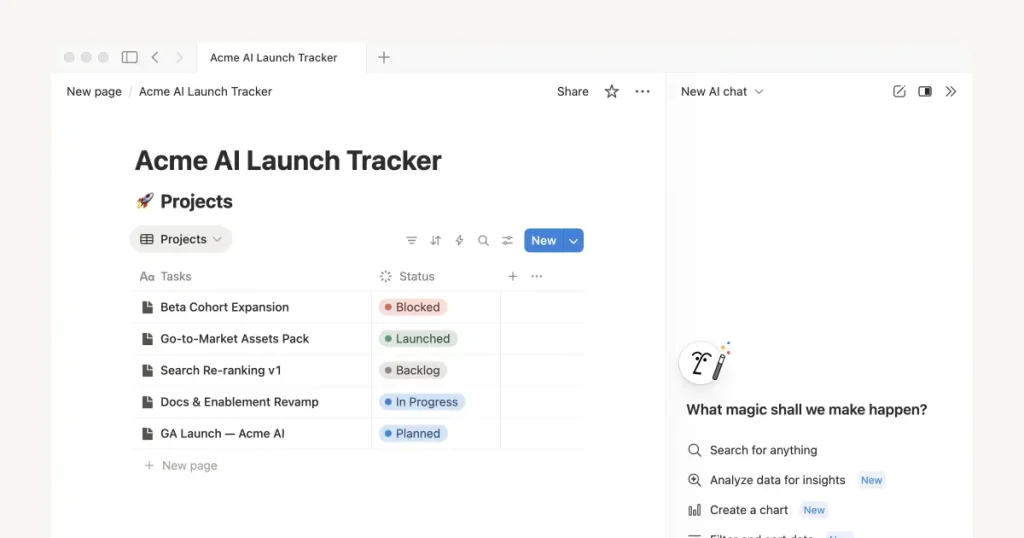
Notion AI is the right knowledge management tool when your information needs to do something. It doesn’t just store what you know; it synthesizes it, acts on it, and makes it accessible to everyone on your team simultaneously. The January 2026 update added access to frontier models including GPT-5.2, Claude Opus 4.5, and Gemini 3, with intelligent auto-model selection based on task type.
Key features:
- AI Agents: Execute multi-step autonomous tasks across your workspace: building plans, compiling research, drafting reports, and updating databases without manual input.
- Cross-workspace knowledge synthesis: Ask questions across your entire workspace and get synthesized answers from every page, database, and comment simultaneously.
- Real-time collaboration: Multiple users work in the same workspace simultaneously with comments, mentions, and version history.
- Custom Agents: Build specialized AI workflows for recurring team tasks, with over 21,000 custom agents created in beta.
Pros:
- Knowledge that executes, Notion AI doesn’t just retrieve information. It acts on it. That distinction separates it from every other knowledge management tool in this comparison.
- Team-scale amplification, a knowledge base in Notion improves every time any team member adds to it. Humans forget to update shared notes; Notion AI surfaces what’s relevant regardless.
Cons:
- Data lives on corporate servers, for privacy-conscious users or those handling sensitive information, the cloud-first architecture is a non-negotiable limitation.
- Database setup investment required, the AI layer amplifies an existing Notion workspace. Users who haven’t built a structured knowledge base first won’t see the agent’s full value immediately.
Pricing:
| Plan | Price | Details |
|---|---|---|
| Free | $0 | Limited blocks and features |
| Plus + AI | $18/month | Unlimited blocks, full AI |
| Business + AI | $25/user/month | Advanced permissions, custom agents |
For teams, solopreneurs with structured work, and anyone who needs their knowledge base to actively execute tasks rather than passively store information, Notion AI is the higher-leverage tool in 2026.
Obsidian: Best for Personal, Private Knowledge Management
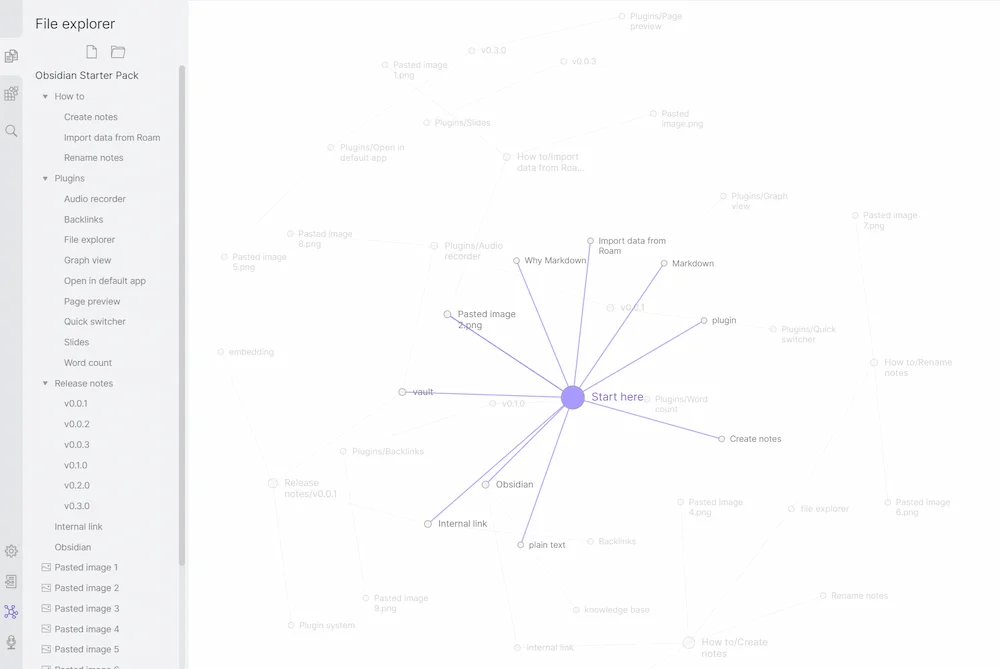
Obsidian is the right knowledge management tool when your information belongs entirely to you. Every note is a plain Markdown file on your device, readable by any text editor, controlled by no one but you, and accessible without an internet connection. The new Bases feature (2025 to 2026) brings Notion-like structured database views to Obsidian while maintaining the local-first philosophy for users who want the best of both approaches.
Key features:
- Bidirectional linking: Link any note to any other note and both automatically know about each other, building a knowledge graph that reveals connections your filing system would never surface.
- Graph view: Visualizes your entire knowledge network, showing clusters of related ideas and emergent connections across thousands of notes.
- 2,500+ community plugins: From AI-powered semantic search to Zettelkasten workflows to academic citation management, the plugin ecosystem covers every knowledge workflow imaginable.
- Local-first storage: All files are plain Markdown, stored on your device, owned by you, accessible offline forever.
Pros:
- Total data ownership, your notes are plain text files. They work in any editor, require no subscription to access, and survive any company shutdown or pricing change.
- Organic knowledge discovery, the graph view reveals connections between ideas that structured databases can’t surface. Researchers consistently find this the most valuable feature for long-term knowledge work.
Cons:
- No native collaboration, Obsidian is a solo tool. Real-time collaboration requires workarounds (shared drives, Obsidian Sync) that are clunky compared to Notion’s native team features.
- Steep learning curve, Markdown syntax, plugin configuration, and vault architecture require meaningful upfront investment before Obsidian delivers its full value.
Pricing:
| Plan | Price | Details |
|---|---|---|
| Core app | Free | Full features, personal use |
| Obsidian Sync | $4/month | Cross-device syncing |
| Commercial license | $50/user/year | Business use |
For solo researchers, writers, developers, and anyone who values long-term data ownership over collaborative features, Obsidian is the more durable knowledge management system. Notion AI stores your thinking; Obsidian owns it.
Notion AI vs Obsidian: Which Is Better for Your Knowledge Management?
Individual knowledge workers vs. teams
Individual knowledge workers doing deep research, long-form writing, or personal knowledge development get more from Obsidian’s organic graph-based structure and local-first privacy. The tool adapts entirely to how you think rather than imposing a structure you have to maintain. Teams doing collaborative documentation, project management, and operational knowledge work get significantly more from Notion AI’s shared workspaces, real-time collaboration, and agent-driven execution. Obsidian has no meaningful team features; Notion was built for them from day one.
Structured knowledge vs. connected knowledge
Structured knowledge users (project documentation, operational wikis, content calendars, team databases) belong in Notion AI. The database architecture and AI agents are built specifically to turn structured information into executable workflows. Connected knowledge users (research notes, writing projects, Zettelkasten systems, long-term idea development) belong in Obsidian. The graph view and bidirectional linking surface relationships between ideas that Notion’s page-based structure simply cannot replicate.
Cloud convenience vs. local ownership
Notion AI is cloud-first: seamless sync across all devices, accessible anywhere, and consistently improving with new AI features backed by a $10 billion valuation. The tradeoff is that your data lives on their servers. Obsidian is local-first: total privacy, works offline, future-proof plain text files that survive any platform change. The tradeoff is that cross-device sync requires configuration and team collaboration requires workarounds. Humans accept convenience tradeoffs without thinking; both tools make the tradeoffs explicit.
Start Managing Knowledge Smarter with GrabBest Today
Choosing between Notion AI and Obsidian for knowledge management shouldn’t feel like a technical decision. It should feel like choosing between a thinking teammate that works with your team and a thinking space that belongs entirely to you.
Want to see how both tools fit into a complete second brain system? Read our complete guide to building a second brain with AI tools in 2026 to see every layer of the architecture.
Frequently Asked Questions
Which is better for knowledge management: Notion AI or Obsidian?
It depends on your use case. Notion AI is better for team-based, structured knowledge management where information needs to be shared, acted on, and connected to collaborative workflows. Obsidian is better for personal, private knowledge management where long-term data ownership, organic idea connections, and offline access matter more than collaboration.
What is the main difference between Notion AI and Obsidian?
The fundamental difference is philosophy. Notion AI is cloud-first and collaborative: your knowledge lives on Notion’s servers, syncs seamlessly, and can be acted on by AI agents autonomously. Obsidian is local-first and private: your knowledge lives on your device as plain Markdown files, owned entirely by you, with no subscription required for core features.
Does Obsidian have AI features in 2026?
Yes, through its plugin ecosystem. Smart Connections provides semantic search across your vault. Copilot for Obsidian adds AI chat grounded in your notes. The AI Agent plugin offers 40+ tools with semantic search and persistent memory. AI-powered Obsidian plugins saw 300% download growth in 2026. The difference from Notion AI is that Obsidian’s AI requires plugin installation while Notion AI is fully native and requires no setup.
Is Notion AI or Obsidian better for researchers?
Obsidian is consistently preferred by researchers, academics, and long-form writers for its graph-based knowledge structure, bidirectional linking, and local data ownership. The graph view reveals emergent connections between research notes that Notion’s page-based structure can’t replicate. Notion AI is stronger for researchers who need to share findings, collaborate with teams, or integrate knowledge into project workflows.
Can you use Notion AI and Obsidian together?
Yes, and many knowledge workers do. A common stack uses Obsidian for personal thinking and deep research, with Notion AI for team collaboration and operational knowledge management. Some users sync specific notes between the two using automation tools. The tools serve different knowledge management use cases and complement rather than replace each other.
Is Obsidian really free for knowledge management?
Yes. Obsidian’s core application is completely free for personal use with no feature restrictions, no trial period, and no subscription required. The full editor, graph view, plugin system, and themes are all free. Paid add-ons include Obsidian Sync at $4/month for cross-device syncing and a commercial license at $50/user/year for business use.