






Most productivity tools promise to change how you work. Most of them just add another tab to your browser. We tested over 30 AI productivity tools across writing, scheduling, automation, meeting intelligence, and SEO — for 90 days, on real work — to find the ones that actually deliver. The gap between what’s marketed and what works is significant. Here are the 9 that made the cut.
What Are AI Productivity Tools?
Most productivity software tells you what to do. AI productivity tools actually do it with you — or for you entirely.
These aren’t your standard task managers or calendar reminders. They are digital work partners that learn your patterns, execute repetitive tasks autonomously, and free your attention for the work that actually requires a human.
The difference is fundamental. A calendar app shows you your schedule. An AI scheduling tool like Motion rebuilds your entire day around shifting priorities in real time — without you touching a thing. A spell-checker flags errors. Grammarly rewrites your paragraph for clarity, tone, and audience fit before you hit send.
AI productivity tools fall into six categories: writing and content creation, scheduling and time protection, meeting intelligence, workflow automation, video editing, and SEO optimization. Each targets a specific type of cognitive overhead — the low-value mental work that fills your day and crowds out the high-value kind.
The question isn’t whether AI can help you work faster. It’s which tasks in your workflow are costing you the most time right now.
Why Use AI Productivity Tools in 2026?
Here’s the number that reframes everything: the average knowledge worker who integrates even two or three AI tools into their daily workflow recovers 2.5 hours per day (McKinsey, 2024). At $40/hour, that’s $100/day in reclaimed productive capacity — from a combined subscription that often costs less than $50/month. The math is not subtle.
But time savings alone undersell what’s changed. In 2026, AI tools have crossed from “impressive demo” to “reliable daily infrastructure.” Transcription accuracy is above 90%. Writing tools produce publish-ready drafts on the first pass. Scheduling tools make better decisions than most humans do about how to block a workweek. The early-adopter advantage is real — and it’s compounding.
Workers who use AI to eliminate low-value tasks and redirect that time toward judgment, relationships, and strategy consistently outperform those who don’t. The risk isn’t AI replacing your role. It’s someone with the right AI stack outcompeting you for it.
How We Chose — Our Testing Criteria
We didn’t rank these tools on feature lists or marketing copy. Every tool was tested on real tasks over 90 days, scored on five criteria:
| Output quality | 30% | How good is the actual result |
| Time saved | 25% | Minutes recovered versus doing the same task manually |
| Ease of setup | 20% | Time from sign-up to first useful result |
| Value for money | 15% | ROI relative to monthly subscription cost |
| Integration depth | 10% | How well the tool connects to the rest of your workflow |
Tools that looked impressive in demos but underdelivered in actual use didn’t make this list. Several well-known names were cut for that reason.
The 9 Best AI Productivity Tools in 2026
1. Jasper AI
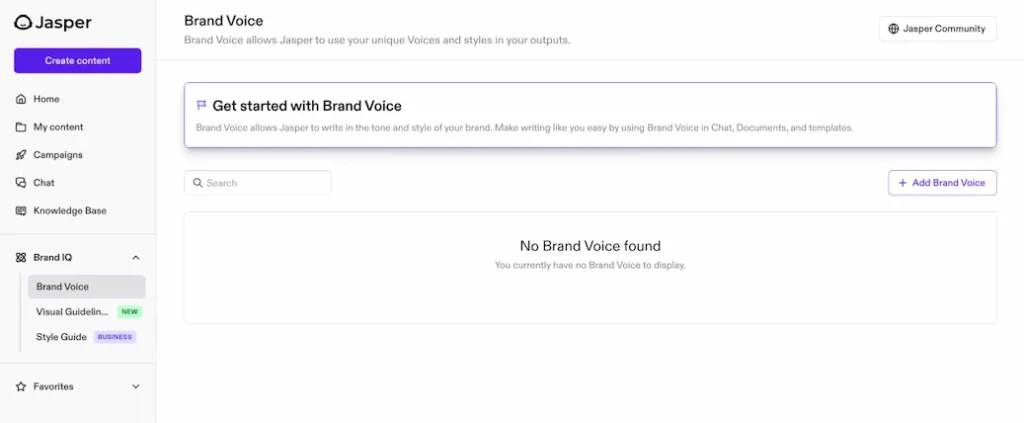
Jasper is the best AI writing tool we tested for long-form content — and it isn’t particularly close. Where most AI writers produce generic output that still requires heavy editing, Jasper’s Brand Voice feature learns your tone from existing content samples and maintains it across every draft. In our 90-day test, it reduced content creation time by over 60% while consistently producing publish-ready quality on the first pass.
Key features:
- Brand Voice: Trains on 3–5 samples of your existing content and replicates your tone across all output.
- 50+ templates: Covers blog posts, ad copy, email sequences, product descriptions, and social content.
- Native Surfer SEO integration: Real-time optimization scoring as you write — no tab-switching required.
- Long-form assistant: Maintains context and narrative consistency across articles of 2,000+ words.
Pros:
- Consistency at scale, Jasper eliminates blank-page paralysis entirely — not just for one piece, but across your entire content calendar.
- Marketing-trained output, unlike general-purpose AI, Jasper is built specifically for content that converts.
Cons:
- Price point, at $49/month, it’s hard to justify for anyone writing fewer than 5,000 words per month.
- No free plan, you commit to a trial before you know if the Brand Voice feature genuinely matches your tone.
Pricing:
| Plan | Price | Details |
|---|---|---|
| Creator | $49/month | 1 user, unlimited words |
| Pro | $69/month | Team features, 3 seats |
| Business | Custom | Enterprise features |
The most underrated ROI with Jasper isn’t the time saved — it’s the consistency. A solo creator using Jasper doesn’t just write faster; they stop having “blank page” days entirely. That psychological shift is worth more than the time savings alone.
2. ChatGPT Plus
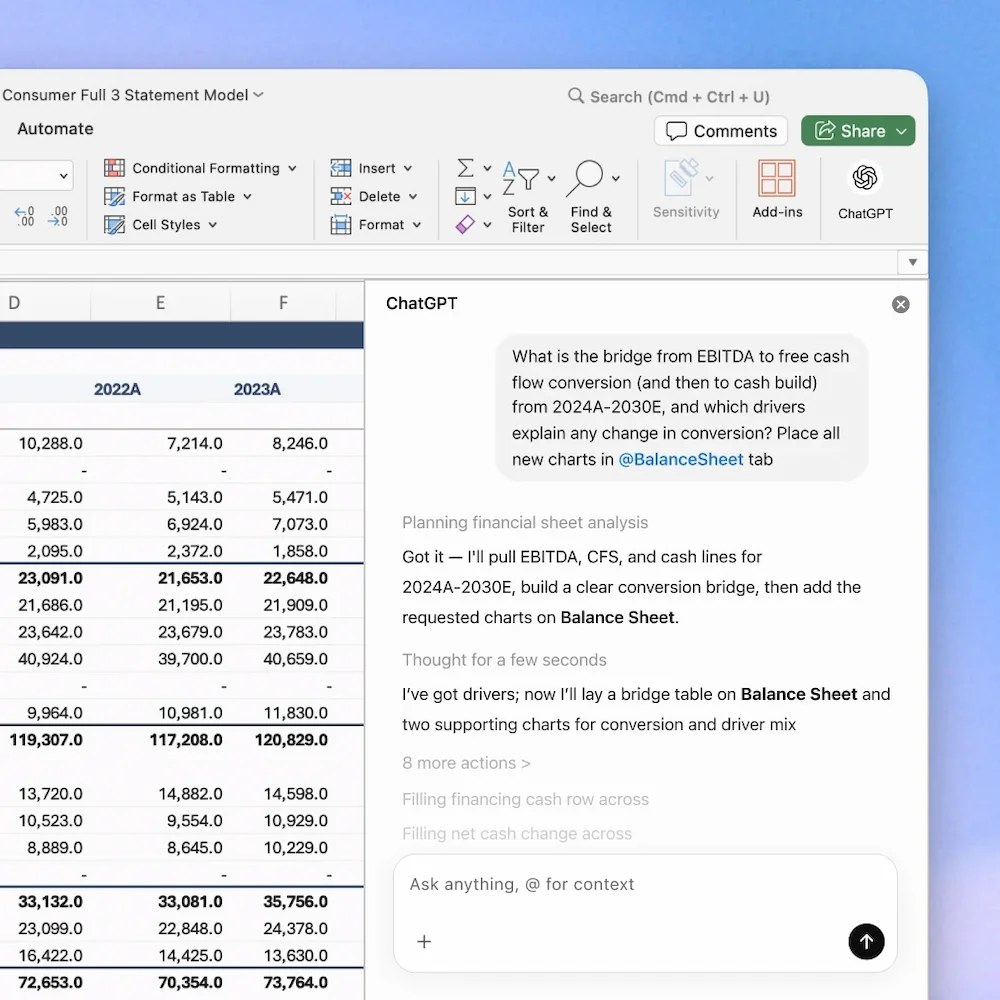
ChatGPT Plus is the Swiss Army knife of AI tools. It doesn’t do any single thing better than a specialized tool — but it does everything well enough that it’s the right first subscription for the vast majority of people building their AI productivity stack. Web browsing, image generation, code execution, data analysis, custom GPTs: all under one $20/month roof.
Key features:
- Web browsing: Access to current information and real-time research without leaving the interface.
- Code Interpreter: Data analysis, file manipulation, and formula generation without technical skill.
- Custom GPTs: Build specialized assistants trained on your specific recurring tasks, documents, or workflows.
- DALL-E 3 image generation: Included in the base subscription.
Pros:
- Breadth of capability, no other tool on this list covers as many use cases in a single subscription.
- Thinking partner use case, the highest-leverage use isn’t writing — it’s using ChatGPT as a strategic sounding board for decisions you’d otherwise make alone.
Cons:
- Depth over breadth, for SEO content, Jasper + Surfer will outperform ChatGPT every time. Match the tool to the task.
- Context window limitations, for deep document analysis, Claude Pro handles significantly longer inputs.
Pricing:
| Plan | Price | Details |
|---|---|---|
| Plus | $20/month | Full feature access |
| Team | $30/user/month | Shared workspaces |
| Enterprise | Custom | Security + admin controls |
Most reviews treat ChatGPT Plus as a writing tool. It’s much more valuable as a thinking partner. The highest-leverage use isn’t “write me a blog post” — it’s “I’m deciding between these two strategies, here are the tradeoffs, what am I missing?”
3. Notion AI
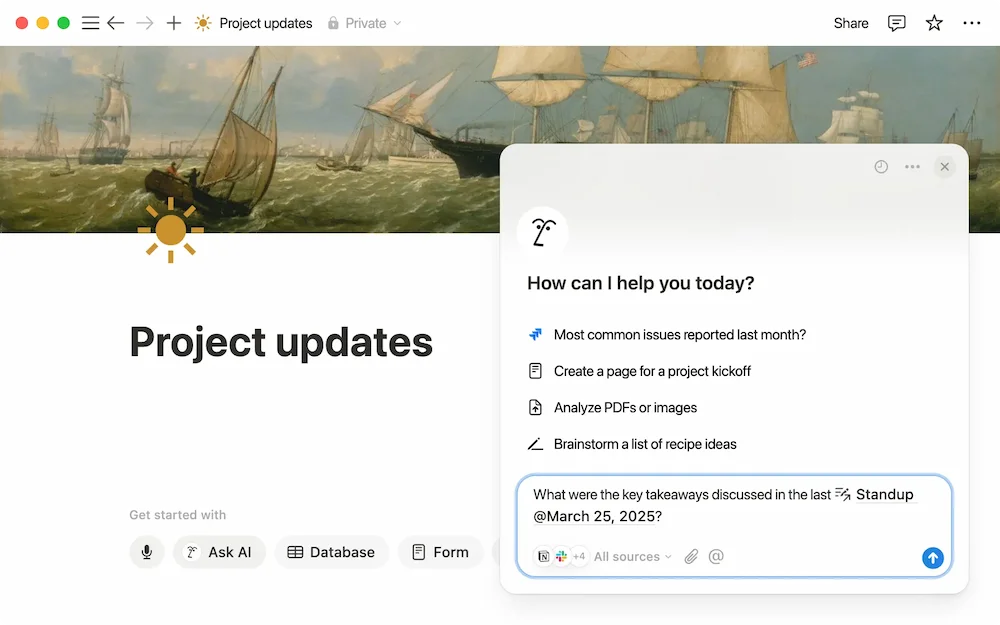
Notion AI turns your existing workspace into an active thinking partner. Summarize documents, generate action items from meeting notes, draft content with full access to your stored knowledge, and autofill databases with natural language commands — all without leaving the tool you’re already using.
Key features:
- Knowledge search and synthesis: Ask questions across your entire Notion workspace — meeting notes, project docs, research archives — and get a synthesized answer.
- Database autofill: Generate structured data from natural language inputs directly into your Notion tables.
- In-context drafting: Write and edit content with full access to your stored knowledge, no copy-pasting required.
- $10/month add-on: Works with any Notion plan, including free — the highest ROI upgrade on this list.
Pros:
- Zero context switching, everything lives inside the tool you already use daily.
- Search and synthesis layer, asking “what did we decide about X across our last three project meetings?” replaces two hours of manual searching per week.
Cons:
- Requires an existing Notion setup, the AI layer amplifies what’s already there — it doesn’t replace the need to build a knowledge base first.
- Limited standalone value, if you don’t use Notion as your primary workspace, this isn’t the right entry point.
Pricing:
| Plan | Price | Details |
|---|---|---|
| AI Add-on | $10/month | Works with any Notion plan |
Most people dramatically underuse Notion AI. They treat it like a writing tool. The actual power is using it as a search and synthesis layer over your entire knowledge base.
4. Motion
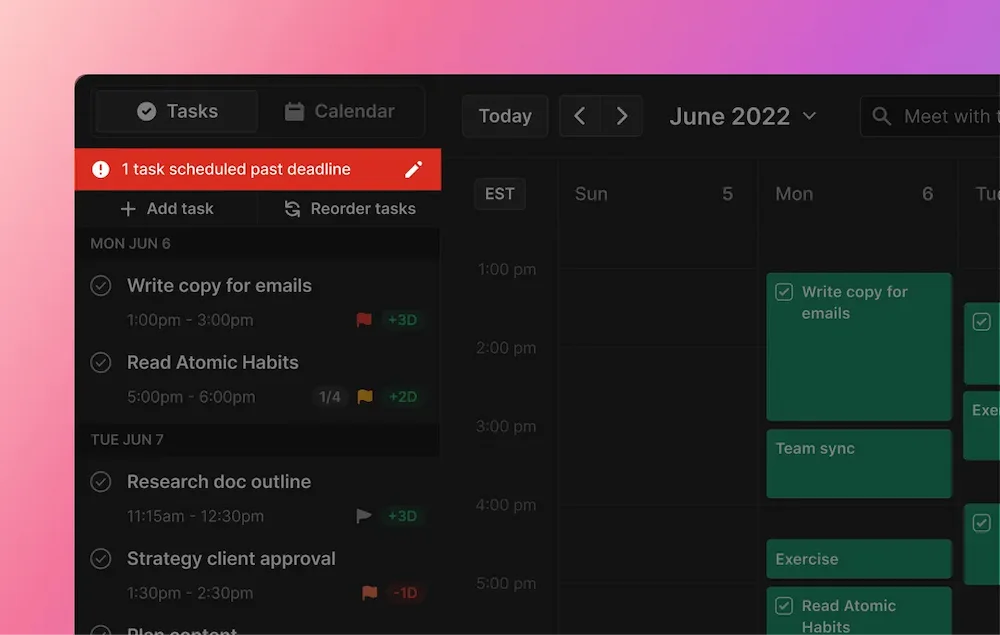
Motion is the only tool on this list that genuinely surprised us. It doesn’t just show you your schedule — it builds it. Add tasks with deadlines and priorities, and Motion decides when to do them, automatically rescheduling around new meetings and overruns in real time. It’s not a calendar. It’s a scheduling engine.
Key features:
- Automatic rescheduling: Every task and deadline adjusts in real time when your day changes — no manual intervention required.
- AI time-blocking: Prioritizes tasks by deadline and importance, protecting your highest-value work time automatically.
- Team workload view: Shows task distribution across the full week for every team member.
- Integrations: Google Calendar, Outlook, Zoom, and major project management tools.
Pros:
- Genuine autonomy, by day 10, Motion is making better scheduling decisions than most people make manually — because it optimizes across more variables simultaneously.
- Eliminates decision fatigue, you stop spending mental energy on “when should I do this?” entirely.
Cons:
- Rough first week, the onboarding period is real — you’ll feel like you’ve lost control of your calendar before you feel the benefit.
- Wrong fit for unpredictable work, anyone doing tasks that can’t be estimated in advance will fight the system rather than benefit from it.
Pricing:
| Plan | Price | Details |
|---|---|---|
| Individual | $19/month (annual) | Full AI scheduling |
| Team | $20/user/month | Collaborative planning |
Push through the first week. By day 10, you’ll realize the AI is making better scheduling decisions than you were.
5. Reclaim AI
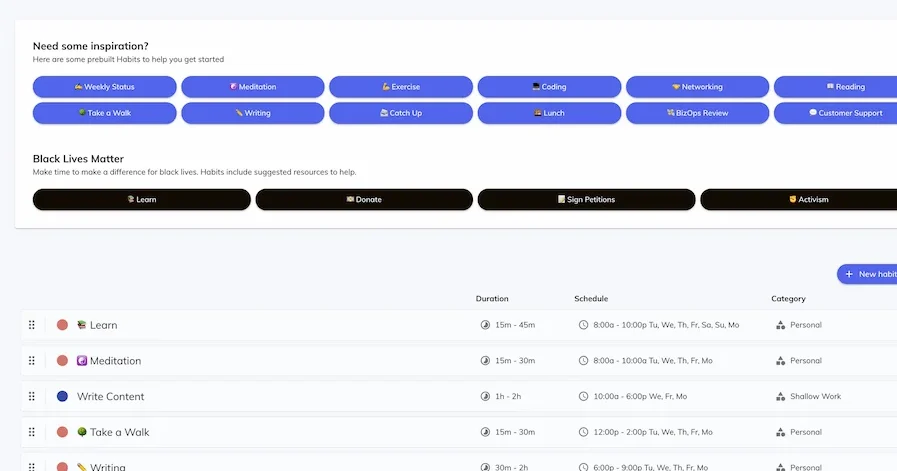
Reclaim AI does one thing exceptionally well: it protects your most important work time from being consumed by meetings and interruptions. Habits, focus blocks, task sync from your project management tools — Reclaim finds the ideal time for deep work and defends it automatically.
Key features:
- Habit scheduling: Flexible recurring blocks that adapt to your actual week — not a rigid template.
- Smart meeting scheduling: Automatically protects existing focus blocks when new meetings are proposed.
- Task sync: Connects with Asana, Todoist, Linear, and Jira to schedule your real work alongside your calendar.
- Genuinely functional free plan: Not a crippled demo — the free tier covers real solo-user needs.
Pros:
- Precision for solo creators, if meetings keep eating your writing time, Reclaim solves it more precisely than Motion and at a fraction of the cost.
- Low setup overhead, productive within hours of connecting your calendar.
Cons:
- Limited team features, for collaborative scheduling across a larger team, Motion has more depth.
- Understated UI, compared to Motion’s interface, Reclaim feels minimal — which can mislead people into underestimating its power.
Pricing:
| Plan | Price | Details |
|---|---|---|
| Free | $0 | 3 habits + task sync |
| Starter | $8/month | Unlimited habits + analytics |
| Business | $12/month | Team features |
Reclaim is underrated because it looks simple. For solo creators whose core problem is “meetings keep eating my focus time,” it solves it more precisely and at a fraction of the cost — than any other tool on this list. You might also want to read our comparison between Reclaim and motion.
6. Otter.ai
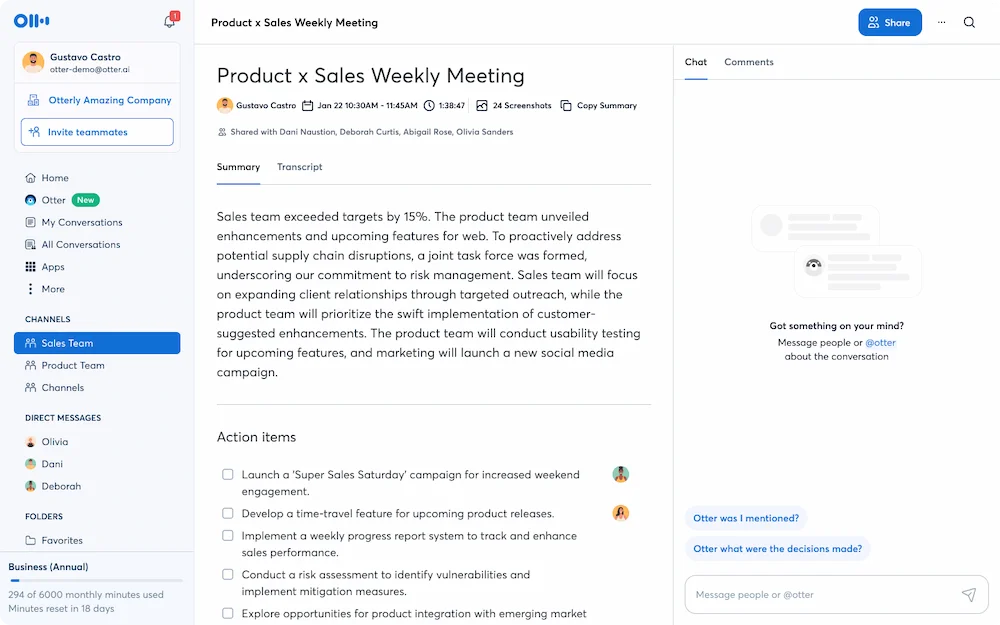
Otter.ai joins your calls, transcribes in real time, generates a summary, and emails you action items the moment the meeting ends — with zero manual input required. In our test, it saved an average of 22 minutes per meeting in note-taking and follow-up time. Across a week with five meetings, that’s nearly two hours recovered from a single tool.
Key features:
- OtterPilot: Attends meetings automatically and delivers summaries even when you can’t join.
- 90%+ transcription accuracy: Reliable for standard business English across most call formats.
- Searchable archive: Every meeting ever recorded becomes a searchable knowledge base.
- Automatic action items: Extracted and emailed post-call without any manual tagging.
Pros:
- Set-and-forget reliability, once connected to your calendar, Otter operates without any daily intervention.
- Long-term compound value, six months in, being able to search “what did the client say about budget in March?” across every recorded meeting becomes invaluable.
Cons:
- Accuracy drops with accents, transcription quality is strong for standard business English but degrades with heavy accents or technical jargon.
- Per-meeting time limits on free plan, the 30-minute cap on the free tier limits usefulness for longer calls.
Pricing:
| Plan | Price | Details |
|---|---|---|
| Free | $0 | 300 min/month, 30-min/meeting |
| Pro | $16.99/month | 1,200 min, 90-min/meeting |
| Business | $30/user/month | Team features + admin |
Everyone focuses on the transcription. The underrated feature is the searchable archive. It’s less of a note-taking tool and more of a business memory system.
7. Grammarly
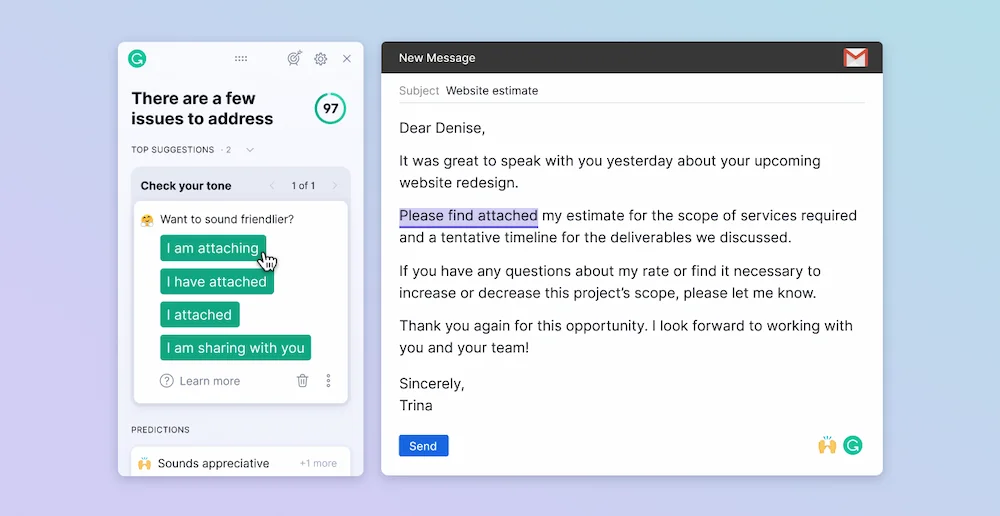
Grammarly has evolved well beyond spell-checking. The 2026 version rewrites entire paragraphs for clarity, adjusts tone for specific audiences, and integrates across every writing surface — email, Google Docs, Slack, Notion, CMS editors — through a single browser extension. Install once; it works everywhere.
Key features:
- Full paragraph rewrites: Restructures sentences for clarity and conciseness, not just grammar.
- Tone detector: Shows how your writing will land with your intended audience before you send.
- Universal integration: Works across every writing surface without switching apps or copying text.
- Plagiarism detection: Available on Premium for content verification.
Pros:
- Confidence recovery, the real productivity gain isn’t just time — it’s the mental energy saved by stopping yourself from re-reading every email three times before sending.
- Best ROI at $12/month annually, the easiest positive-ROI tool on this entire list.
Cons:
- Can flatten distinctive voice, creative writers who accept suggestions uncritically may find their style becoming more generic over time.
- Premium required for full value, the free tier is useful but the paragraph rewrite features that drive real time savings are Premium-only.
Pricing:
| Plan | Price | Details |
|---|---|---|
| Free | $0 | Grammar, spelling, basic style |
| Premium | $12/month (annual) | Full rewrites, tone, plagiarism |
| Business | $25/user/month | Team features |
Most people think of Grammarly as a proofreading tool. The actual productivity gain is the confidence it creates. That recovered mental energy — not just the time — is the real product.
8. Zapier
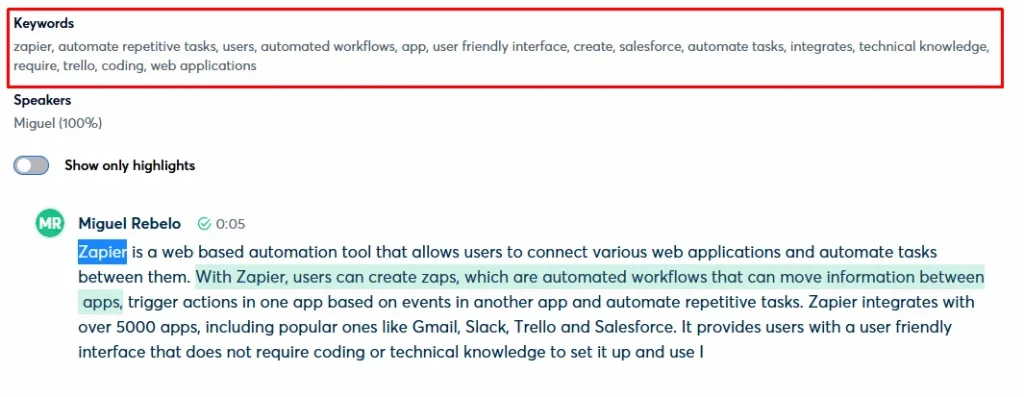
Zapier connects 6,000+ apps and eliminates the manual handoffs between them. Its AI workflow builder lets you describe what you want to automate in plain English — “when a new lead fills out my form, add them to my CRM and send a welcome email” — and Zapier builds the automation for you. No developer required.
Key features:
- 6,000+ app integrations: The most comprehensive connector library on the market by a significant margin.
- AI Zap builder: Describe your automation in plain English; Zapier generates the workflow.
- Multi-step Zaps with conditional logic: Handles complex, branching workflows without code.
- Tables and Interfaces: Lightweight internal tools built without a developer.
Pros:
- Force multiplier for every other tool, Zapier alone won’t save you much time. Zapier connecting four other tools can save you hours.
- Eliminates manual handoffs, Otter.ai summaries auto-saved to Notion, form submissions auto-logged in your CRM — the compounding effect is significant.
Cons:
- Task limits catch up fast, entry plan limits can surprise you if you build more than 2–3 active Zaps.
- Learning curve on complex workflows, the AI builder helps, but multi-step conditional logic still requires some trial and error.
Pricing:
| Plan | Price | Details |
|---|---|---|
| Free | $0 | 100 tasks/month, 5 Zaps |
| Professional | $19.99/month | 750 tasks |
| Team | $69/month | 2,000 tasks, collaboration |
People treat Zapier as a “nice to have.” It’s not — it’s the connective tissue that turns a collection of individual tools into an actual system.
9. Surfer SEO
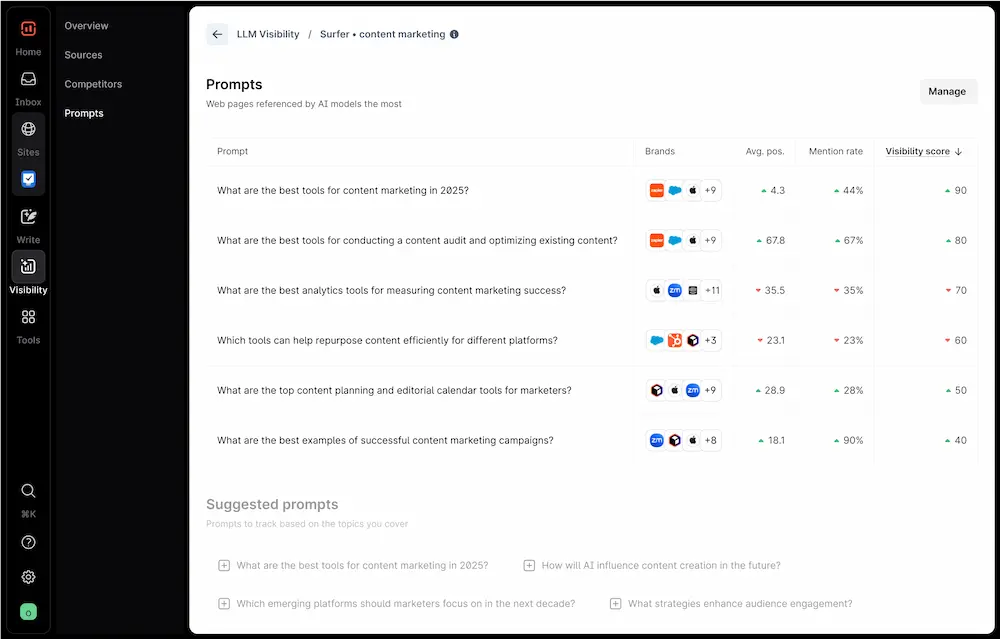
Surfer SEO analyzes the top-ranking pages for any keyword and gives you a real-time content score as you write — telling you exactly which topics, subtopics, headings, and semantic terms to include to compete with current top results. It’s not guessing. It’s reverse-engineering what Google is already rewarding.
Key features:
- Real-time Content Score: Updates as you write inside Google Docs or the Surfer editor.
- SERP Analyzer: Shows what top-ranking pages have structurally in common — headings, word count, topic coverage.
- Auto-Optimize: One-click content improvements based on live SERP data.
- Keyword research integrated: Content planning and keyword strategy in the same tool.
Pros:
- Removes SEO guesswork entirely, you know exactly what a top-ranking article needs before you start writing.
- Native Jasper integration, combine both tools for SEO-optimized, brand-voice-consistent long-form content in one workflow.
Cons:
- Expensive for low-volume users, at $89/month, the ROI only makes sense at 8+ articles per month.
- No free plan, significant commitment before you can evaluate whether it fits your workflow.
Pricing:
| Plan | Price | Details |
|---|---|---|
| Essential | $89/month | 30 articles/month |
| Scale | $129/month | 100 articles/month |
| Enterprise | Custom | Agency features |
Surfer gets criticized for being expensive. The criticism misses the point. The question isn’t “is Surfer expensive?” — it’s “what is a top-3 ranking worth to your business?” a related perspective can be found in our analysis of which seo tool is worth the price in 2026.
Which Tool Is Right for You?
Solo creators vs. marketing teams
Solo creators need tools that collapse the gap between “one person trying to do the work of a team” and “agency-quality output.” The right stack here is Grammarly + Otter.ai + Reclaim AI — covering writing, meeting documentation, and time protection at under $40/month combined. Marketing teams need scale and coordination: Jasper for volume, Surfer for rankings, Zapier to connect the handoffs.
Read our full article about the best ai tools for content creators.
Free tools vs. paid tools
You don’t need a paid subscription to start getting real AI productivity gains. Grammarly Free, Otter.ai Free, Reclaim AI Free, and ChatGPT Free together cover writing, meetings, scheduling, and general AI tasks at $0/month. That’s enough to build real AI habits before committing to a paid plan. The rule: don’t upgrade until you’ve genuinely hit the free tier’s limits.
Single tools vs. connected workflows
Individual tools are good. Tools connected to each other are dramatically better. A single Otter.ai subscription saves you 22 minutes per meeting. Otter.ai connected via Zapier to Notion with Notion AI generating action items automatically — saves you the meeting time plus every manual task that follows it. Always ask: “What should happen automatically after this tool produces output?”
Here’s the short version: if you want the fastest ROI with the least setup, start with Grammarly Free and Otter.ai Free. If you’re ready to build a full system, Jasper + Zapier + Notion AI is the stack that compounds.
Start Building Your AI Productivity Stack Today
AI productivity tools shouldn’t feel like software you have to manage. They should feel like infrastructure that runs quietly in the background while you focus on the work that actually matters.
Explore the full reviews and ranked AI productivity tools to find the right fit for your workflow. Not sure where to start? Read our complete guide to building your first AI automation workflow from scratch.
Read our complete guide to start automating your tasks with AI.
FAQ — Best AI Productivity Tools (2026)
What are the best AI productivity tools for beginners?
Grammarly Free, Otter.ai Free, and ChatGPT Free are the best AI productivity tools for beginners — zero technical setup, immediate value, and no credit card required. Start with one for 30 days before adding a second.
Which AI productivity tool saves the most time?
Jasper AI saves the most time for content creators — reducing a 1,500-word article from 3.5 hours to under an hour. For meeting-heavy professionals, Otter.ai consistently recovers 20+ minutes per call.
Are AI productivity tools worth the cost?
Yes, for most knowledge workers. McKinsey’s 2024 research found that AI tool users recover an average of 2.5 hours per day. At $25/hour, that’s over $1,300/month in recovered capacity — against AI subscriptions that typically cost $10–50/month.
What is the best free AI productivity tool in 2026?
Grammarly Free delivers the broadest immediate value — it works across every writing surface the moment you install the browser extension. Otter.ai Free (300 minutes/month) and Reclaim AI Free are close behind for meeting and scheduling use cases.
Can AI productivity tools replace traditional productivity apps?
Not entirely — and that’s not the right framing. AI tools augment traditional productivity apps rather than replacing them. Notion AI amplifies an existing Notion setup. Motion builds on top of your calendar. The better question is: which tasks within your current workflow can AI handle faster than you can?
What AI productivity tools work best together?
The highest-performing combinations from our testing: Jasper + Surfer SEO for content creation, Otter.ai + Zapier + Notion AI for meeting-to-action workflows, and Reclaim AI + ChatGPT Plus for deep work sessions.
How do I measure the ROI of an AI productivity tool?
Track your time before and after using a new tool for at least two weeks. Use a free tracker like Toggl or Clockify. If you’re not saving at least 3x the tool’s monthly cost in time value, either you’re not using it to its full capability — or it’s the wrong tool for your workflow.