




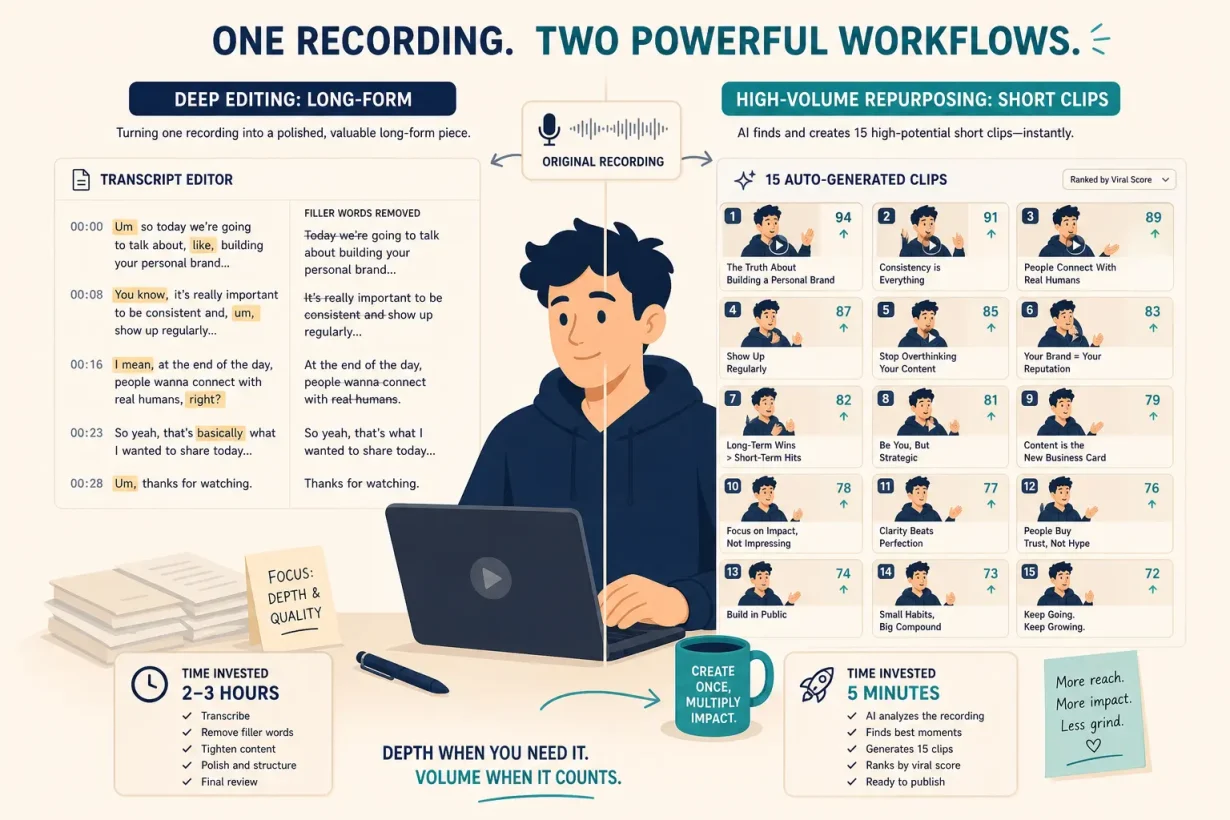

Most creators compare Descript and Opus Clip as if they are competing for the same job. They are not. We tested both tools across real content workflows for 90 days to find what each one actually saves and where each one falls short. The answer changes everything about which one you should pay for. Here it is.
What Are Descript and Opus Clip?
These aren’t competing versions of the same tool. They are video production teammates that solve opposite problems in the content creation workflow.
Descript is a full video and podcast editor built around transcript-based editing: you edit text, and the video follows. Delete a word from the transcript and the footage cuts automatically. Remove filler words in one click across the entire recording. Fix a mispronounced word in your own AI-cloned voice without re-recording the segment. Descript handles the entire post-production pipeline from raw recording to final export.
Opus Clip is a repurposing engine. You give it a long video and its AI automatically finds the best moments, extracts them as short vertical clips, adds captions, applies auto-reframing for each platform, and ranks each clip by estimated virality. You are not editing anything. You are letting AI do the clipping entirely.
The clearest summary: OpusClip is like hiring someone to watch your long videos and pull out viral clips for social media. Descript is like hiring an editor who handles the entire post-production process from long-form editing to final export.
Why the Descript vs Opus Clip Decision Matters in 2026
Are you spending more time in post-production than in front of the camera?
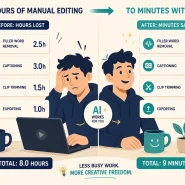
Descript’s automatic filler word removal saves 10 to 15 minutes per video minimum, and its Studio Sound audio cleanup eliminates the need to run audio through multiple separate apps. For creators producing long-form content regularly, that compression changes the economics of production entirely.
From a single 30-minute video, Opus Clip generates 10 to 20 clips in about five minutes, each with a Virality Score from 0 to 100 to help you prioritize which ones to post. For creators whose bottleneck is short-form distribution rather than long-form editing, that output volume is impossible to match manually.
Descript vs Opus Clip: Head-to-Head Comparison
| Descript | Opus Clip | |
|---|---|---|
| Core use case | Long-form editing and production | Short-form clip generation |
| Editing approach | Edit video by editing transcript | AI auto-detects and extracts clips |
| Free plan | Yes (1 hr transcription/month) | Yes (limited clips/month) |
| Starting price | $24/month | $15/month |
| Best for | Podcasters, YouTubers, educators | Repurposers, agencies, social creators |
| Social scheduler | No (manual export required) | Yes (built-in, Pro plan) |
| Audio enhancement | Yes (Studio Sound, noise removal) | Basic |
| Overdub voice cloning | Yes | No |
Descript: Best for Long-Form Editing
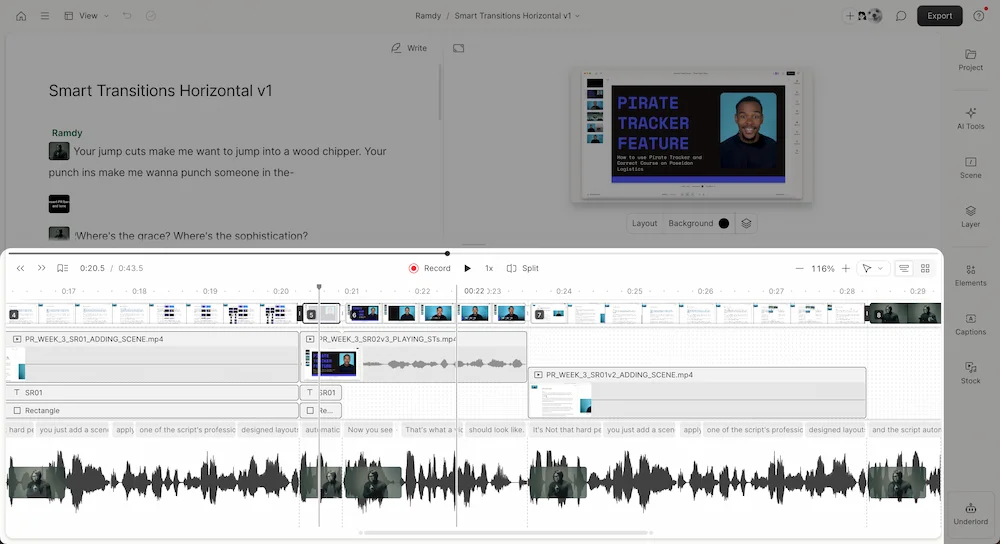
Descript is the right tool when the post-production workflow is your bottleneck. For any creator producing at least one video per week, the sheer volume of time saved through automated filler word removal and text-based editing justifies the subscription cost. It replaces standalone transcription services, audio workstations, and traditional timeline editors in a single subscription.
Key features:
- Transcript-based editing: Delete words from the transcript to cut footage automatically. No timeline skills required.
- One-click filler word removal: Removes every “um,” “uh,” and false start across the entire recording in seconds.
- Studio Sound: AI audio cleanup that removes background noise and fixes mic inconsistencies instantly.
- Overdub: Re-record mispronounced words or fix outdated facts in your own AI-cloned voice without re-shooting.
- 20+ language translation: Dubs your video with lip-sync matching for multi-language distribution.
Pros:
- Complete production pipeline, Descript covers recording, editing, captioning, and export in a single interface. Humans switch between five apps; Descript handles all five.
- Deepest time savings on dialogue content, for podcasters and talking-head creators, transcript editing compresses hours of scrubbing into minutes of text deletion.
Cons:
- Weaker clip generation, Descript’s “Find Good Clips” feature surfaces 3 to 5 clips where Opus Clip generates 15 or more from the same footage. It requires more manual cleanup after.
- No social scheduler, content exports manually and requires a separate tool or manual upload for distribution across platforms.
Pricing:
| Plan | Price | Details |
|---|---|---|
| Free | $0 | 1 hr transcription/month |
| Creator | $24/month | Unlimited transcription, Overdub |
| Pro | $40/month | Advanced AI features, collaboration |
For podcasters, YouTubers, educators, and any creator whose primary output is dialogue-driven long-form content, Descript is the higher-value tool. The transcript editing workflow alone pays for the subscription.
Opus Clip: Best for Short-Form Repurposing
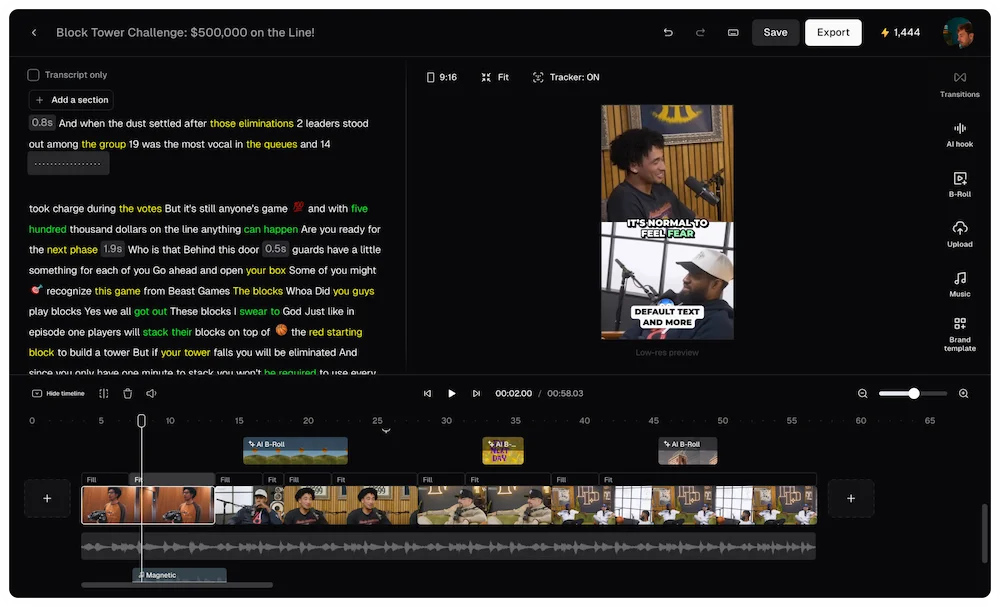
Opus Clip is the right tool when short-form distribution is your bottleneck. Opus Clip’s ClipAnything model analyzes your video using speech patterns, visual cues, and sentiment to find the most engaging moments automatically. For creators who already have long-form content and need to convert it into a consistent social media presence, it removes the entire manual review and clipping process.
Key features:
- AI clip detection: ClipAnything model analyzes speech, visual cues, and sentiment to find the highest-engagement moments automatically.
- Virality Score: Ranks every generated clip from 0 to 100 based on hook strength, pacing, and engagement signals.
- Auto-reframing: Converts landscape footage to vertical format with active speaker tracking for TikTok, Reels, and Shorts.
- Built-in social scheduler: Schedule and auto-post clips directly to all major platforms from the Pro plan.
- Automated captions: Styled, animated captions generated automatically for every clip.
Pros:
- Highest clip volume per upload, 15 or more clips from a single long recording in under five minutes. No manual scrubbing, no timeline review.
- Built-in distribution layer, the social scheduler removes an entire step from the repurposing workflow that Descript doesn’t cover at all.
Cons:
- Not a full editor, Opus Clip cannot replace Descript for long-form editing, podcast production, or any workflow that requires granular control over transitions, audio, or precise timing.
- Credit-based pricing at volume, heavy users processing multiple long videos per week will hit credit limits on lower plans faster than the pricing suggests at first glance.
Pricing:
| Plan | Price | Details |
|---|---|---|
| Free | $0 | Limited clips/month |
| Starter | $15/month | 150 minutes/month |
| Pro | $29/month | 300 minutes, social scheduler |
For agencies, social media managers, podcasters building a short-form presence, and any creator with a backlog of long-form content, Opus Clip turns one recording into a week of social content automatically.
Descript vs Opus Clip: Which One Saves More of Your Time?
Long-form creators vs. short-form repurposers
Long-form creators whose primary work is producing polished podcasts, YouTube videos, or educational content get the highest time savings from Descript. The transcript editing and audio cleanup compress post-production time more dramatically than any tool in Opus Clip’s category. Short-form repurposers who already have long-form content and need a consistent social media presence get the highest time savings from Opus Clip. The clip generation and social scheduler eliminate the two most time-consuming steps in the repurposing workflow entirely.
Single tool vs. combined stack
If you produce long-form content that also needs aggressive short-form distribution, running both tools together at $43 to $73 per month combined is cheaper than the 5 to 8 hours per week you would spend doing the clipping work manually. The tools share roughly zero workflow overlap, which means using both adds capability rather than redundancy.
Dialogue-driven content vs. visual-first content
Descript’s time savings are highest for dialogue-driven content: interviews, podcasts, talking-head tutorials, and any format where the speech track drives the edit. Opus Clip’s time savings are highest for any long-form format where short, high-energy moments exist to be extracted: webinars, livestreams, keynotes, and event recordings. The content type usually determines the tool before any feature comparison begins.
Start Producing More Content Today
Choosing between Descript and Opus Clip shouldn’t feel like a feature comparison exercise. It should feel like identifying your actual bottleneck and hiring the right editing teammate to eliminate it.
Want to see how both tools fit into a complete content stack? Read our complete guide to the best AI tools for content creators in 2026 to see every layer of the workflow.
FAQ: Descript vs Opus Clip (2026)
What is the main difference between Descript and Opus Clip?
Descript is a full video and podcast editor built around transcript-based editing: you edit text and the video follows. Opus Clip is a repurposing engine that automatically finds the best short-form moments in long videos and generates platform-ready clips with captions and auto-reframing. They solve different problems and serve different workflow stages.
Which saves more time: Descript or Opus Clip? It depends entirely on your bottleneck. Descript saves more time if your bottleneck is long-form post-production: editing dialogue, removing filler words, and cleaning audio. Opus Clip saves more time if your bottleneck is short-form distribution: scrubbing long recordings for social clips and formatting them for each platform.
Can you use Descript and Opus Clip together?
Yes, and for serious content creators this is the optimal stack. Descript handles long-form editing and production. Opus Clip handles short-form clip generation and distribution. Running both together at combined entry pricing is cheaper than the manual editing time they each eliminate.
Which tool generates more social clips: Descript or Opus Clip?
Opus Clip generates significantly more clips. In direct testing, Opus Clip surfaces 15 or more clips from the same video where Descript’s “Find Good Clips” feature produces 3 to 5 and requires more manual cleanup. If automated clip volume is your primary need, Opus Clip is purpose-built for it.
Does Descript or Opus Clip have a better free plan?
Both have genuinely functional free plans. Descript Free includes one hour of transcription per month with filler word removal. Opus Clip Free includes a limited number of clips per month with full AI clip detection. Both are enough to evaluate whether the core workflow matches your needs before committing to a paid plan.
Which is better for podcasters: Descript or Opus Clip?
Descript is the stronger tool for podcasters. Its transcript editing, filler word removal, Studio Sound audio cleanup, and Overdub voice cloning cover every stage of podcast post-production. Opus Clip is the stronger tool for turning finished podcast episodes into short-form social clips after editing is complete.