




Most knowledge systems are graveyards. You save articles, paste notes, bookmark links, and never look at any of it again. We tested the leading AI-powered knowledge management tools against real knowledge workflows to find what actually turns captured information into usable insight. Building a second brain with AI tools in 2026 is not about storing more. It is about retrieving and acting on what you already have. Here is the system that works.
What Is a Second Brain With AI Tools?
A second brain with AI tools is not a note-taking app with a chatbot bolted on. It is a living knowledge system that captures what you read, hear, and think, organizes it automatically, and surfaces it when you need it without you having to remember where anything is.
These aren’t just smarter filing systems. They are cognitive teammates that eliminate the gap between knowing and doing. Tiago Forte, who popularized the second brain framework, described the AI-powered version as “a cognitive exoskeleton, both protecting us from forgetfulness and amplifying our ability to act on what we know.” In 2026, AI handles the two stages where humans consistently stall: organizing (automatically categorizing and linking related ideas) and distilling (surfacing patterns across hundreds of notes in seconds). You focus on capturing and acting. AI handles everything in between.
Why Build a Second Brain With AI Tools in 2026
Are you still losing your best ideas to the same apps you were using three years ago?
In 2026, AI handles the heavy lifting in knowledge management: semantic search finds ideas by meaning, agents summarize long documents, and automations turn captured notes into workflows, tasks, and live dashboards without a single manual step. The original second brain method relied on manual tagging, folder discipline, and periodic reviews. Nobody maintained it. AI removes that dependency entirely.
Only 14% of workers use AI daily, but those daily users report dramatically higher productivity. The workers still manually managing knowledge are not being more thorough. They are spending hours on overhead that AI eliminates in seconds. The second brain concept has matured. The question in 2026 is not “where do I put my notes?” It is “what does my system do with them?”
How to Build a Second Brain With AI Tools: The 4-Layer System
Layer 1: Capture Everything Without Friction
The first failure point of every second brain system is capture friction. If saving something takes more than ten seconds, you will not do it consistently. AI-powered capture removes that friction entirely.
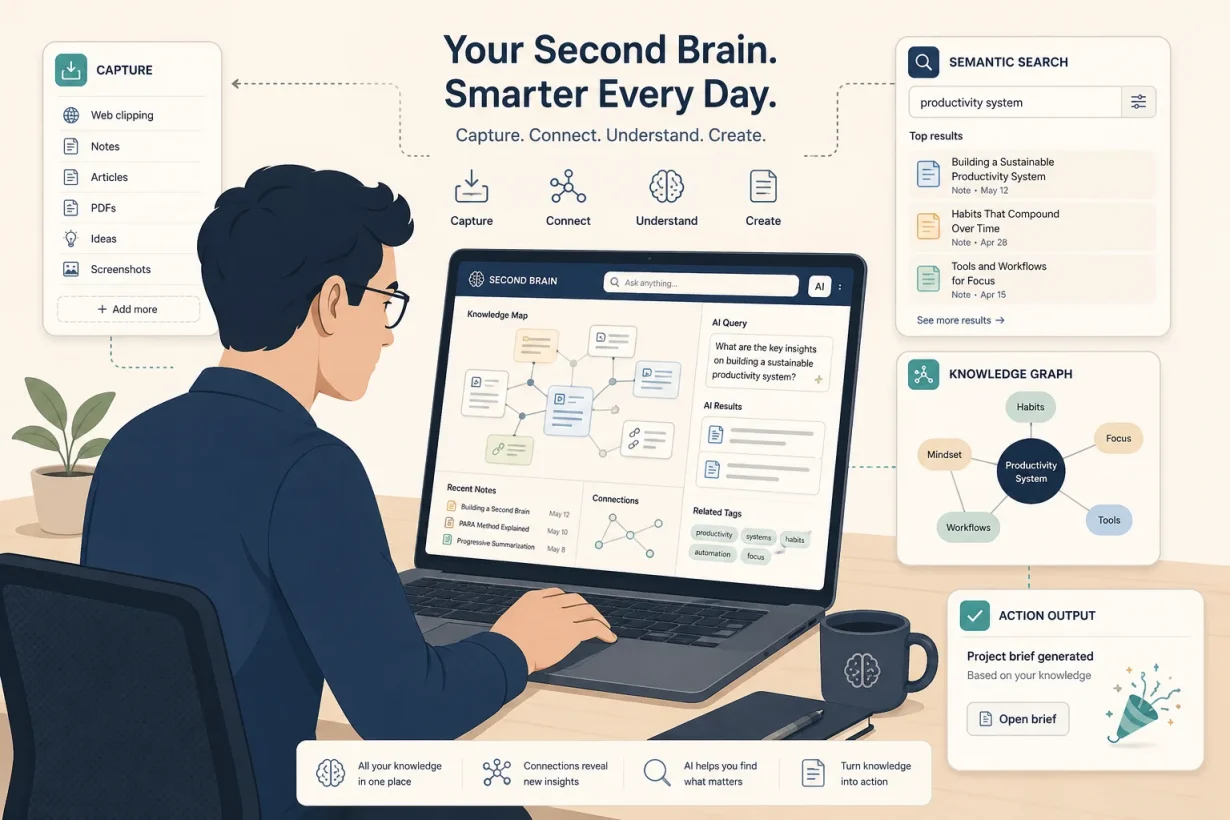
The capture layer of a modern second brain has four inputs: browser clippings (save any article, page, or resource with one click via a browser extension), document uploads (PDFs, Word files, and presentations that the AI indexes and makes searchable immediately), meeting transcriptions (Otter.ai or Fireflies.ai joins every call and feeds structured summaries directly into your knowledge base automatically), and voice notes (dictate ideas in a stream of consciousness using Wispr Flow or Superwhisper, which transcribe and route them into your system while you think out loud).
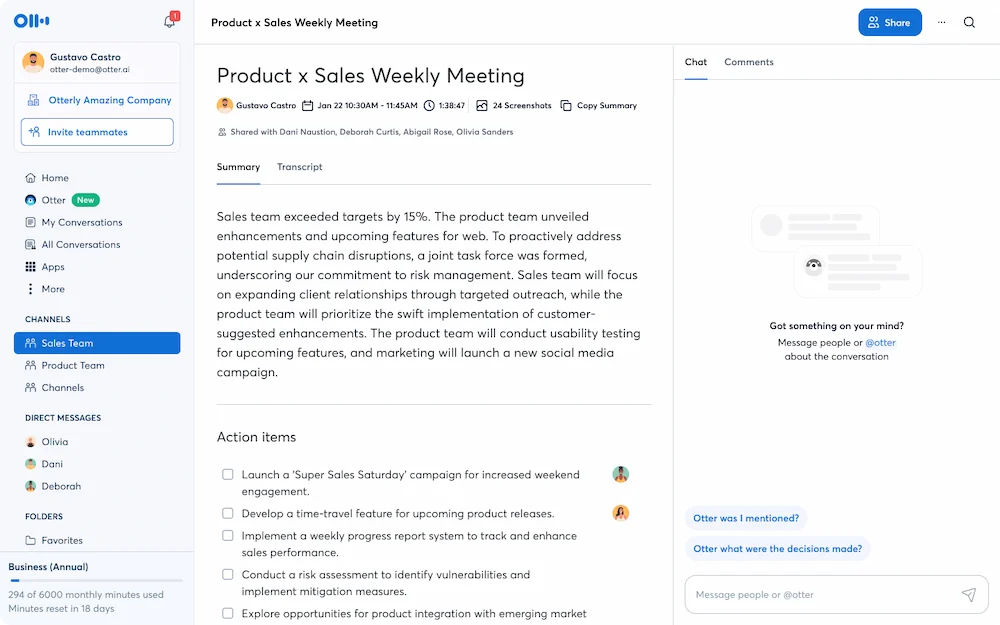
The AI doesn’t just file these inputs. It reads them, tags them semantically, links them to related material already in your system, and makes them retrievable by meaning rather than by keyword.
Layer 2: Organize With the PARA Structure
The most durable organizational framework for a second brain with AI tools is Tiago Forte’s PARA method: Projects (active work with a clear outcome), Areas (ongoing responsibilities without a fixed end date), Resources (reference material you may need in the future), and Archives (inactive items from any other category).
A PARA workspace gives an AI agent a durable map of your work. When a new piece of information arrives, the agent reads its content, matches it against your active projects and area keywords, and files it into the right category without being told where to go. You set up the structure once. The AI maintains it indefinitely. Humans forget to file things; AI doesn’t.
The key insight: AI uniquely benefits from good file organization because it guides the model’s context. A well-structured PARA system doesn’t just help you find things. It makes every AI interaction more accurate because the model understands what’s active, what matters, and what’s archived.
Layer 3: Retrieve by Meaning, Not by Memory
The highest-value feature of a modern second brain with AI tools is semantic search: the ability to find information by describing what you need rather than remembering exactly what you saved.
Ask “what did I read about pricing strategy for SaaS?” and your second brain surfaces every relevant note, article, and meeting summary across months of accumulated knowledge, ranked by relevance rather than recency. Ask “what decisions have I made about the brand voice?” and it synthesizes the answer from every document where that topic appears.
Notion AI answers questions across your entire workspace. Claude Pro’s 200,000-token context window lets you upload your entire knowledge base for a project and query across it in a single conversation. NotebookLM grounds every answer in your source documents with citations, so you always know where the insight came from. These aren’t search bars. They are thinking partners that work with your accumulated knowledge rather than starting from scratch every time.
Layer 4: Act on Knowledge Automatically
The gap that killed every previous knowledge system was the distance between capturing information and doing something with it. AI closes that gap by converting insights into action automatically.
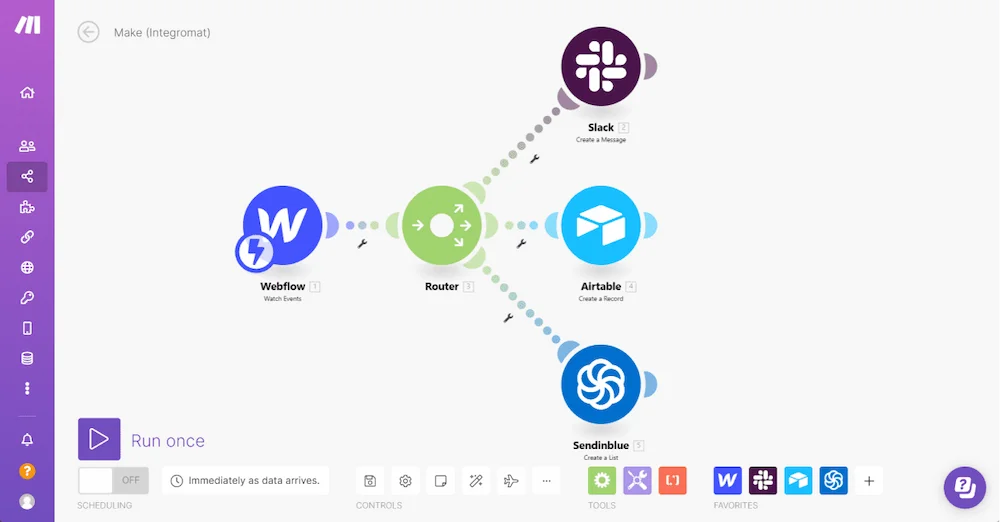
Connect your second brain to your task manager via Zapier or Make. When Otter.ai generates a meeting summary, Make extracts the action items and creates tasks in your project manager automatically. When you save a research article, a workflow generates a one-paragraph summary and adds it to the relevant project folder. When a new client brief arrives, Claude Pro drafts the project outline from your existing knowledge base without you assembling context manually.
Meta built an AI second brain for 60,000 knowledge workers using exactly this architecture, with proactive agents running morning briefings, automated meeting note processing, and end-of-day digests across hundreds of teams. What started as one data scientist’s fix for scattered notes became a company-wide system for how humans and AI agents work together on sustained knowledge work.
Which Second Brain Approach Fits Your Work?
Solo knowledge workers vs. teams
Solo knowledge workers need a single workspace that captures, organizes, and retrieves everything across their personal and professional life. Notion AI with a PARA structure covers this use case completely, with the AI layer amplifying an existing workspace rather than requiring a new system to learn. Teams need shared context on top of individual knowledge: a second brain where one person’s meeting notes feed into a shared project layer that every team member can query. Taskade and Fireflies.ai with CRM sync cover the team use case with agent-driven action layers that solo tools don’t offer.
Manual organization vs. AI-automated organization
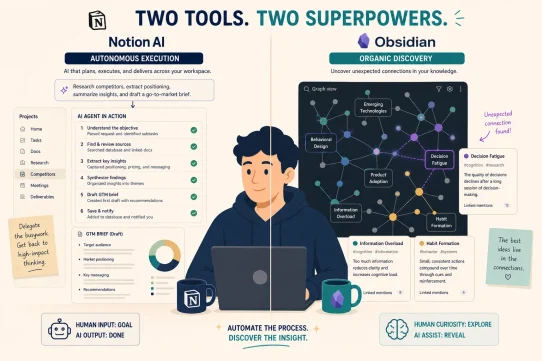
Manual organization systems work well for people who enjoy building and maintaining structure. Obsidian with the PARA plugin gives you complete control over every note and connection, with your data stored locally and never leaving your device. AI-automated organization is the right choice for everyone else: people who want to capture freely and let the system handle the filing. Notion AI and Claude Pro’s Projects feature both deliver automated organization that improves with use rather than degrading over time. Humans maintain systems until they don’t; AI maintains them indefinitely.
Note storage vs. knowledge execution
Most second brain tools solve the storage problem. The best ones in 2026 solve the execution problem: turning knowledge into action without manual steps. If your second brain contains insights you never act on, the system has failed regardless of how well organized it is. Build your second brain with AI tools that close the capture-to-action loop automatically, and your knowledge compounds rather than accumulates.
Here’s the short version: if you want to stop losing ideas and start acting on them, build your second brain on Notion AI with PARA structure and connect it via Zapier. If you want deep document intelligence and reasoning across your full knowledge base, add Claude Pro. Humans forget; your AI second brain doesn’t have to.
Start Building Your Second Brain with GrabBest Today
Building a second brain with AI tools shouldn’t feel like setting up an elaborate productivity system you’ll abandon in a month. It should feel like hiring the organizational layer your brain never had, one that remembers everything, connects the dots you miss, and turns your accumulated knowledge into your competitive advantage.
Want to see how a second brain fits into a complete AI productivity system? Read our complete guide to the best AI productivity tools in 2026 to see every layer of the stack.
Frequently Asked Questions
What is a second brain with AI tools?
A second brain with AI tools is a personal knowledge system that uses AI to capture, organize, and retrieve information automatically. It extends Tiago Forte’s second brain framework with semantic search that finds ideas by meaning, automatic summarization, and agent-driven automation that turns notes into tasks and workflows without manual steps.
What are the best AI tools for building a second brain in 2026?
The best AI tools for building a second brain in 2026 are Notion AI for workspace organization and knowledge synthesis, Claude Pro for deep document reasoning across large knowledge bases, Otter.ai or Fireflies.ai for automatic meeting capture, and Zapier or Make to connect the capture-to-action layer automatically.
How is building a second brain with AI tools different from regular note-taking?
Regular note-taking stores information you may or may not find again. Building a second brain with AI tools creates a system that organizes, connects, and surfaces that information when it is relevant, without you remembering where anything is. The AI handles the overhead of organization and retrieval; you handle the thinking and deciding.
How long does it take to build a second brain with AI tools?
The basic capture and organization layer takes one to two hours to set up: create a PARA structure in Notion, connect your browser extension, and link your calendar to Otter.ai. The automation layer takes another hour to configure in Zapier. The value compounds from day one and grows with every piece of information you add.
Can I build a second brain with AI tools for free?
Yes. Notion Free with the AI add-on at $10/month, Otter.ai Free at 300 minutes per month, and Zapier Free at 100 tasks per month together cover the core capture, organization, and action layers at near-zero cost. Obsidian is completely free for the local-first version with no cloud sync costs.
What is the PARA method and why does it matter for building a second brain with AI tools?
PARA stands for Projects, Areas, Resources, and Archives. It is the organizational framework that gives AI agents a durable map of your work so they can file new information automatically without being told where it goes. A well-structured PARA system doesn’t just help you find things: it makes every AI interaction more accurate because the model understands what is active and what matters.