

Most client proposals take two to three hours to write and still lose to a competitor who sent a faster, sharper response. We tested AI-assisted proposal workflows across dozens of client scenarios to find what actually converts. The gap between a generic AI draft and a proposal that wins is one thing: the right prompting structure. Here it is.
What Does Writing Client Proposals With AI Actually Mean?
Writing client proposals with AI is not about generating a wall of text and sending it unchanged. It is about using AI as a proposal architect that structures your thinking, matches your tone to the client’s language, and produces a polished first draft in minutes rather than hours.
These aren’t generic document generators. They are proposal teammates that take your knowledge of the client, your service, and your pricing, and turn it into a structured, persuasive document that sounds like you wrote it at your best rather than at 11pm under deadline pressure. The AI handles the structure and the language; you bring the insight and the relationship context that makes the proposal worth reading.
Why AI Proposals Win More in 2026
Are you still spending two hours on a proposal that the client reads in two minutes?
Marketers using AI-generated content experience a 36% higher conversion rate on landing pages, and the same principle applies to proposals: AI-assisted documents are consistently more structured, more concise, and more client-focused than manually written ones because they eliminate the rambling that comes from writing under time pressure.
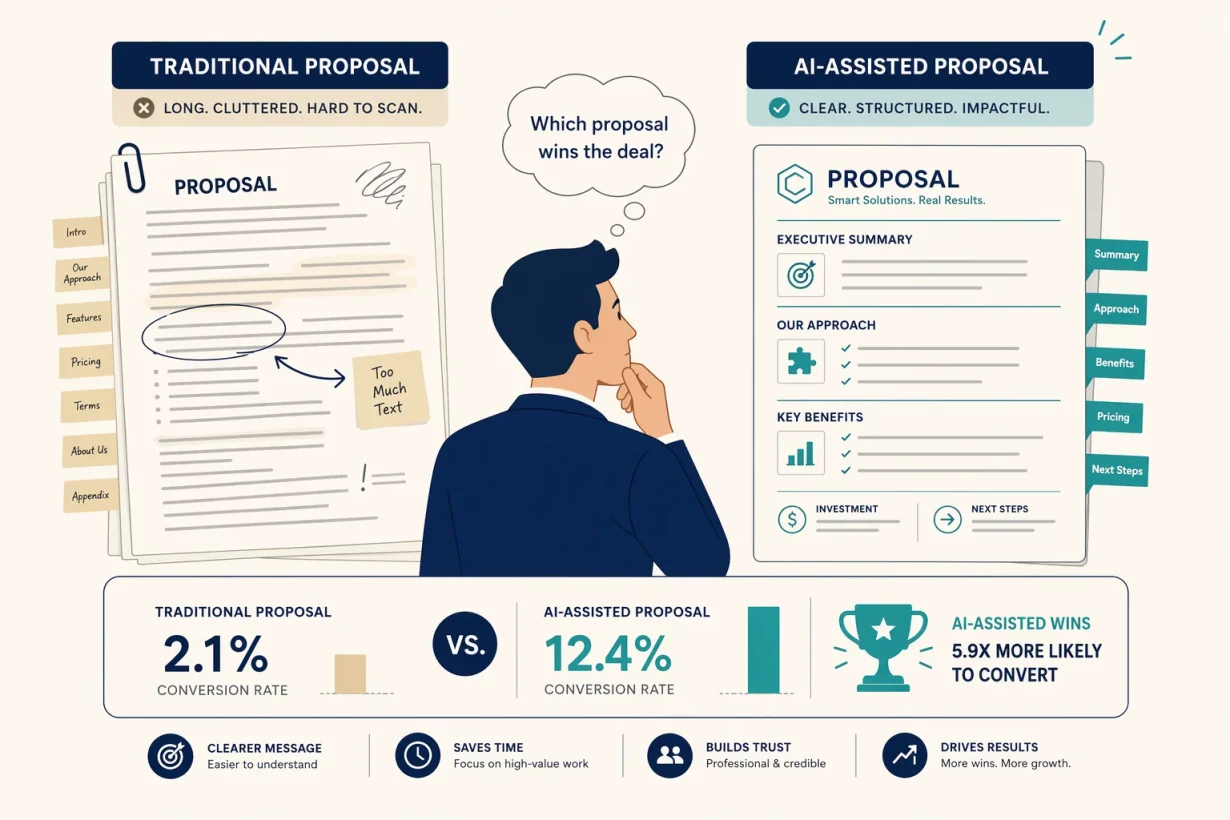
50% of proposal responses are rated as generic or off-target by clients, directly lowering win rates and leaving revenue on the table. The problem is not effort. It is structure. AI enforces the structure that most manually written proposals lack: a clear problem statement, a specific solution, concrete deliverables, transparent pricing, and a single decisive next step. Humans skip sections when tired; AI doesn’t.
The 20-Minute AI Proposal Workflow
Step 1: Feed the Brief (2 Minutes)
Before you touch a prompt, gather three things: the client’s own words describing their problem (from their email, brief, or call notes), your specific solution and deliverables, and your pricing. The quality of your AI proposal is directly proportional to the specificity of your input. Generic input produces generic output; the AI can’t invent context it hasn’t been given.
Open ChatGPT Plus or Claude Pro and paste this master prompt:
The Master Proposal Prompt:
You are a professional proposal writer. Write a client proposal using this information:

Client problem: [paste their exact words]
My solution: [describe your specific approach]
Deliverables: [list what they receive]
Timeline: [project duration]
Investment: [your fee]
My background: [1-2 sentences on relevant experience]

Structure the proposal with these sections:
1. The Challenge (their problem in their language)
2. Our Approach (your solution, specifically)
3. What You Receive (deliverables and timeline)
4. Investment
5. Next Step (one clear action)

Tone: professional, direct, client-focused. Maximum 400 words.
Step 2: Edit for Voice and Specificity (10 Minutes)
The AI draft covers structure and language. Your edit adds the two things AI cannot invent: your specific experience relevant to this exact client, and the one insight that shows you understood their situation more deeply than every other proposal they received.
Read the draft once. Find the sentence that sounds most generic. Replace it with something only you could write based on what you know about this specific client. That sentence is what gets the proposal remembered. Everything else is table stakes.
Step 3: Add Social Proof and a Deadline (5 Minutes)
Two additions that consistently improve proposal conversion: a single, specific case study referenced in one sentence (“We ran this same approach for [client type], which resulted in [specific outcome]”), and a soft deadline that creates urgency without pressure (“This pricing is valid for 14 days as we’re taking on a limited number of new projects this quarter”).
Prompt to add these elements:
"Add one sentence of social proof referencing a [your industry] client and a soft 14-day deadline to the proposal above. Keep it natural, not salesy."
Step 4: Format and Send (3 Minutes)
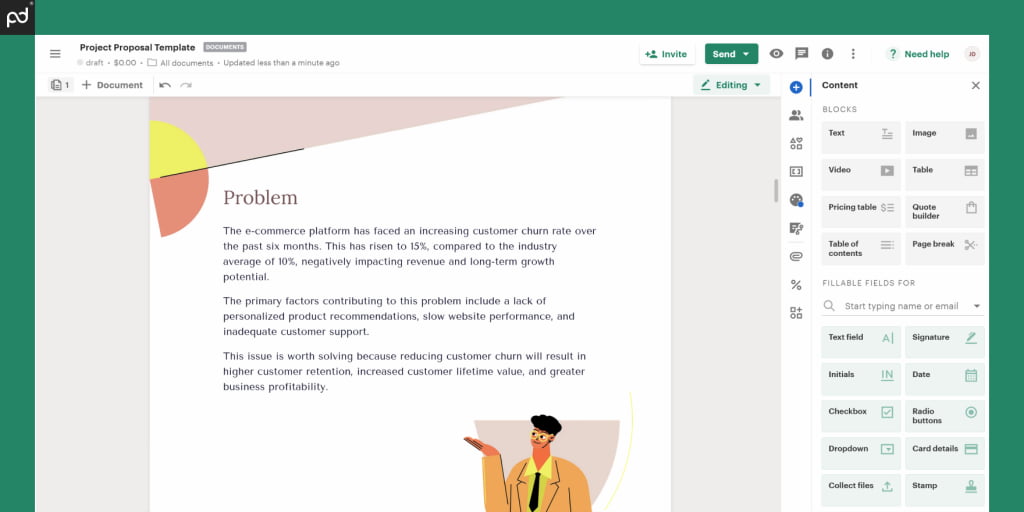
Paste the final draft into your proposal tool, Notion, Google Docs, or a dedicated platform like Proposify or PandaDoc. Add your logo and contact details. Read it one final time out loud. If any sentence sounds like something a robot would say at a networking event, rewrite it. Then send it.
Total time: under 20 minutes. Humans second-guess and rewrite; a well-prompted AI gets it right the first time.
3 Ready-to-Use AI Proposal Templates
Template 1: Freelance Service Proposal
Subject: Proposal for [Project Name] | [Your Name]

Hi [Client Name],

THE CHALLENGE
[Restate their problem in their own language, 2 sentences.]

OUR APPROACH
[Describe your specific method, 3-4 sentences. Include one differentiator.]

WHAT YOU RECEIVE
[Bullet list of deliverables]
Timeline: [X weeks]

INVESTMENT
[Fee] | [payment terms]

NEXT STEP
If this looks right, reply to this email and I'll send a contract today.

[Your name]
Template 2: Consulting Engagement Proposal
Subject: Engagement Proposal | [Client Company] | [Your Name]

SITUATION
[Their challenge, 2-3 sentences, in their language.]

RECOMMENDED APPROACH
[Phase 1: what you do and why, 2 sentences.]
[Phase 2: what you deliver, 2 sentences.]

DELIVERABLES
[Concrete list with ownership clearly stated.]

INVESTMENT
[Fee structure: retainer or project-based]

TO PROCEED
[One-sentence next step with a specific action.]
Template 3: Agency Project Proposal
PROPOSED SCOPE: [Project Name]
Prepared for: [Client Company] | [Date]

THE BRIEF IN ONE LINE
[Distill their problem to its essence.]

OUR SOLUTION
[Describe the approach in non-jargon language, 3-4 sentences.]

SCOPE AND TIMELINE
[Milestone 1: deliverable + date]
[Milestone 2: deliverable + date]
[Milestone 3: deliverable + date]

INVESTMENT
[Fee] | Payment terms: [50% upfront, 50% on delivery or similar]

READY TO START?
[Specific next step: sign, reply, or call, with a date.]
Which Proposal Approach Fits Your Work?
Generic AI drafts vs. voice-trained AI proposals
A generic AI proposal uses default prompts and publishes the first output with minimal editing. A voice-trained AI proposal feeds the model examples of your best-performing previous proposals before asking it to draft anything new. The second approach produces output that sounds like your best writing rather than a competent but characterless document. Build a Custom GPT in ChatGPT Plus with your top three winning proposals as training material and use it for every new engagement.
Short proposals vs. long proposals
Clients reviewing multiple proposals won’t read lengthy narratives. The most effective proposals aim for 150 to 300 words of high-impact content, structured for skimmability rather than comprehensiveness. AI naturally produces longer drafts than necessary. Your most important edit is always subtraction, not addition. If the client has to read more than one page to decide, the proposal has already failed.
Start Writing Winning Proposals Today
Writing client proposals with AI shouldn’t feel like drafting at gunpoint. It should feel like having a proposal writer on call who knows your work, matches your voice, and produces a clean draft every time you need one.
Want to build a complete client acquisition stack? Read our complete guide to the best AI tools for freelancers in 2026 to see how proposals fit into the bigger picture.
Frequently Asked Questions
Can I really write client proposals with AI that actually win?
Yes. AI-assisted proposals consistently outperform manually written ones on structure and clarity because they enforce the sections most people skip when writing under pressure: specific problem statement, concrete deliverables, and a single clear next step. The key is feeding AI specific client context rather than generic instructions.
How long does it take to write a client proposal with AI?
Using the master prompt workflow, a complete first draft takes under five minutes. Editing for voice and adding specific social proof takes another ten to fifteen minutes. Total time from brief to send: under 20 minutes for most standard service proposals.
What is the best AI tool for writing client proposals?
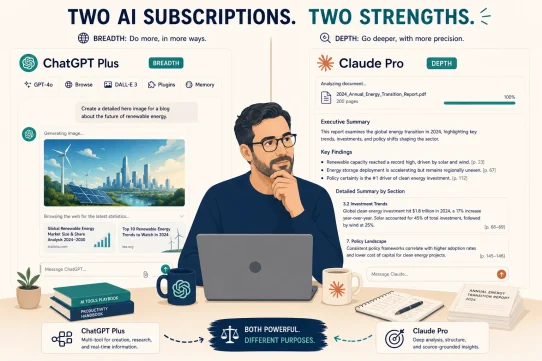
ChatGPT Plus is the most versatile tool for writing client proposals with AI, covering drafting, editing, and custom GPT creation for recurring proposal types. Claude Pro is the stronger choice for long, complex consulting proposals where nuanced reasoning and precise instruction-following matter more than speed.
How do I make AI-generated client proposals sound like me?
Feed the model two or three examples of your best previous proposals before asking it to draft anything new. Then add one sentence per proposal that only you could write based on your specific knowledge of that client. That sentence is what differentiates your proposal from every other AI-assisted submission the client receives.
Should client proposals written with AI be short or long?
Short. The most effective client proposals are 150 to 300 words of high-impact content structured for skimmability. AI produces longer drafts by default. Your most important edit is always cutting rather than adding. If a client has to read more than one page to decide, the proposal is too long.
What sections should every client proposal written with AI include?
Every winning client proposal needs five sections: the client’s problem in their own language, your specific approach, a concrete list of deliverables with timeline, transparent pricing, and a single clear next step. AI enforces this structure automatically when given the right prompt. Humans skip sections; AI doesn’t.