



Most students are using AI wrong. They paste a question into ChatGPT, copy the output, and call it research. We tested 20+ platforms specifically against real student workflows: literature reviews, essay drafts, lecture notes, exam prep, and citation management. The difference between the best AI tools for students and the ones that get you flagged is significant. Five made the cut.
What Are AI Tools for Students?
These aren’t shortcuts for avoiding work. They are study partners that compress the low-value parts of academic work so you can spend more time on the parts that actually build knowledge.
The distinction matters. A student using AI to generate an essay and submit it unchanged is misusing the tool and taking on real academic risk. A student using AI to summarize a 40-page paper, identify the three most relevant arguments, and then write their own analysis is using it the way a research assistant would. 92% of students now use AI in their studies, according to a 2025 survey by the Higher Education Policy Institute. The question is no longer whether to use the best AI tools for students. It’s which ones to use and how to use them without crossing academic integrity lines.
Every tool on this list has a free plan that works for real student use cases. None require a credit card to start.
Why Students Need AI Tools in 2026
Are you still spending three hours on a literature review that a well-prompted AI can summarize in 10 minutes?
Students in one study increased their grades by 10% and decreased the time it took to complete their work by 40% after getting access to AI tools, according to research conducted with Microsoft. 73% of students say AI helps them better understand course material, and 67% say it improves study efficiency.
How We Chose: Our Testing Criteria
- Academic integrity safety: Does it assist your thinking or replace it?
- Free plan quality: Genuinely functional for real student workloads, not a crippled demo.
- Time saved: Measured against real tasks including research, writing, note-taking, and revision.
- Learning value: Does using the tool help you understand the material better, or just produce output faster?
The 5 Best AI Tools for Students in 2026
1. Grammarly
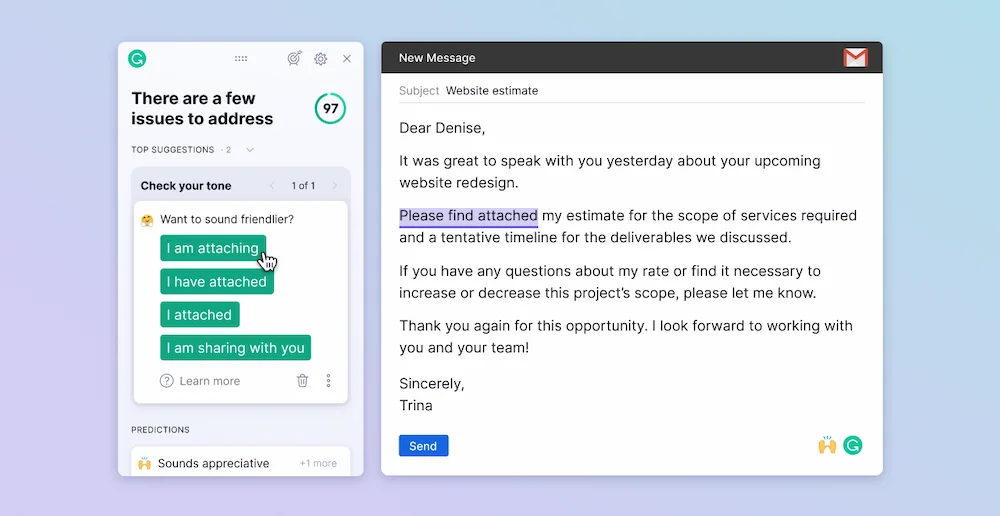
Grammarly is the best AI tool for students whose primary academic output is written work. It goes far beyond spell-checking: the 2026 version rewrites entire paragraphs for clarity, adjusts your tone for academic audiences, and integrates across every writing surface you already use through a single browser extension. Install once; it works in Google Docs, your university CMS, and every browser-based editor without switching tabs.
Key features:
- Full paragraph rewrites: Restructures sentences for clarity and academic register, not just grammar corrections.
- Tone detector: Shows whether your writing reads as formal, analytical, or unclear before you submit.
- Plagiarism detection: Checks your work against billions of web pages on Premium, essential for students who research extensively online.
- Universal integration: Works across every writing surface from a single browser extension with no copy-pasting required.
Pros:
- Academic register improvement, Grammarly doesn’t write your essay. It helps you write it better, which is exactly the kind of AI assistance that stays on the right side of academic integrity policies.
- Confidence before submission, the real gain isn’t just time saved. It’s the mental energy recovered by not re-reading your introduction five times before hitting submit.
Cons:
- Can flatten distinctive voice, students who accept all suggestions uncritically may find their work becoming more generic over time. Review each suggestion rather than accepting everything blindly.
- Plagiarism detection is Premium-only, the free plan covers grammar and basic style but not the originality check that matters most for research-heavy coursework.
Pricing:
| Plan | Price | Details |
|---|---|---|
| Free | $0 | Grammar, spelling, basic style |
| Premium | $12/month (annual) | Full rewrites, tone, plagiarism |
| Student discount | Available | Check Grammarly’s student pricing page |
Grammarly Free is a genuinely good starting point for students. Upgrade to Premium when you’re writing long research papers where plagiarism detection and full paragraph rewrites start paying for themselves in marks and time.
2. Notion AI
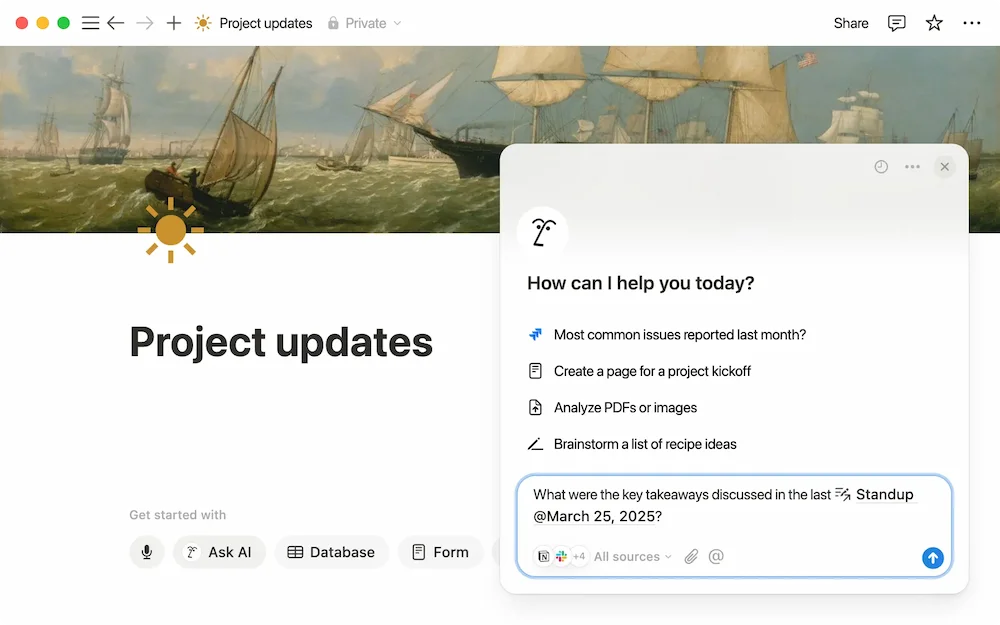
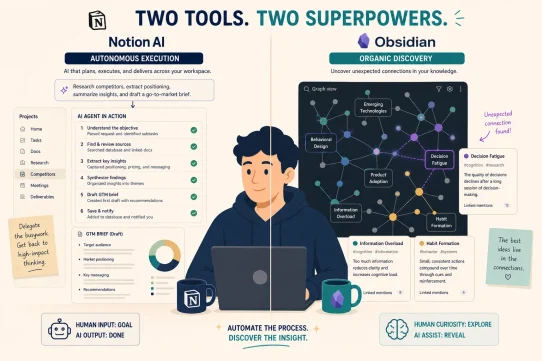
Notion AI turns your lecture notes, reading summaries, and assignment drafts into a searchable, synthesizable knowledge base. Ask it “what are the three main arguments from the papers I read on climate policy?” and it pulls the answer from your own notes, not from the internet. For students managing multiple courses simultaneously, that distinction is the difference between actually understanding your material and just collecting it.
Key features:
- Cross-workspace knowledge synthesis: Queries your own notes and documents rather than generating from scratch, keeping you grounded in the actual course material.
- Lecture note summarization: Paste rough notes or a transcript and get a structured summary with key concepts and follow-up questions in seconds.
- Assignment tracker with AI: Populate your assignment database with natural language and let Notion AI generate project outlines from your brief.
- $10/month add-on: Works with the free Notion plan, making it the highest-value AI upgrade on this list for students on a budget.
Pros:
- Built on your own knowledge, Notion AI answers questions using what you’ve already read and noted, reinforcing learning rather than bypassing it. That makes it one of the most academically safe best AI tools for students available.
- Multi-course organization, a single Notion workspace holds every subject, every deadline, and every research thread, with AI available across all of it simultaneously.
Cons:
- Setup investment required, Notion AI amplifies an existing workspace. Students who haven’t already built a Notion system will need 1-2 weeks of setup before it delivers full value.
- Not ideal for quick web research, for real-time source-backed answers, Perplexity AI is the better tool for that specific use case.
Pricing:
| Plan | Price | Details |
|---|---|---|
| Notion Free + AI | $10/month | AI on the free Notion plan |
| Plus + AI | $18/month | More storage and blocks |
Most students treat Notion AI like a writing tool. The actual power is using it as a synthesis layer across your own course notes: a study partner that remembers everything from every lecture you’ve attended and surfaces it on demand.
3. Otter.ai
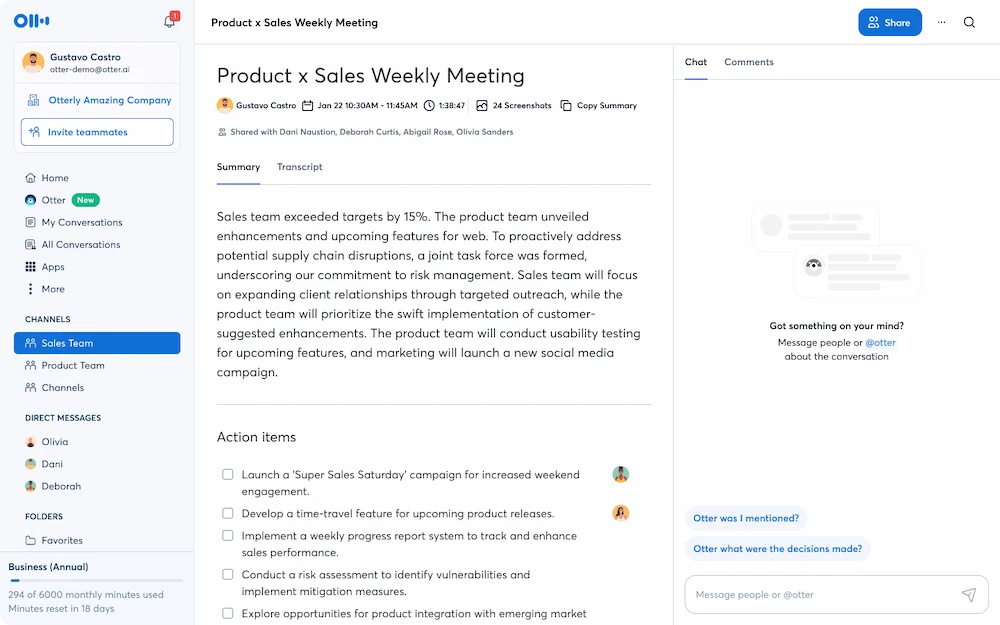
Otter.ai joins your lectures, seminars, and study group sessions, transcribes them in real time, and delivers a structured summary with key concepts highlighted as soon as the session ends. For students who struggle to take notes while simultaneously processing what a lecturer is saying, it solves the fundamental conflict between listening and recording.
Key features:
- Live lecture transcription: 90%+ accuracy for standard academic English with automatic speaker identification across Zoom, Google Meet, and in-person recordings.
- Post-session summary: Key concepts, questions raised, and discussion points extracted automatically after each session.
- OtterPilot: Joins online seminars and recorded lectures even when you can’t attend in real time.
- Searchable archive: Every lecture ever transcribed becomes searchable. “What did the professor say about monetary policy in week 4?” answered in seconds.
Pros:
- Eliminates the note-taking conflict, students who stop writing and just listen during lectures retain significantly more. Otter handles the recording so you can focus on understanding the material.
- Accessible for diverse learning needs, for students with dyslexia, attention difficulties, or language barriers, having a full text transcript of every lecture changes what’s possible academically.
Cons:
- 30-minute cap on free plan, the free tier limits each recording to 30 minutes, which is insufficient for a standard 50-minute lecture. The Pro upgrade removes this limit.
- Accuracy drops with technical terminology, transcription quality is strong for standard academic English but degrades with highly specialized subject vocabulary or heavy accents.
Pricing:
| Plan | Price | Details |
|---|---|---|
| Free | $0 | 300 min/month, 30-min per session |
| Pro | $16.99/month | 1,200 min, 90-min per session |
| Student pricing | Available | Check Otter.ai’s education page |
For students attending more than two long lectures per week, the free tier hits its limits fast. Otter Pro at $16.99/month is worth it for the full lecture archive and unlimited session length alone.
4. Perplexity AI
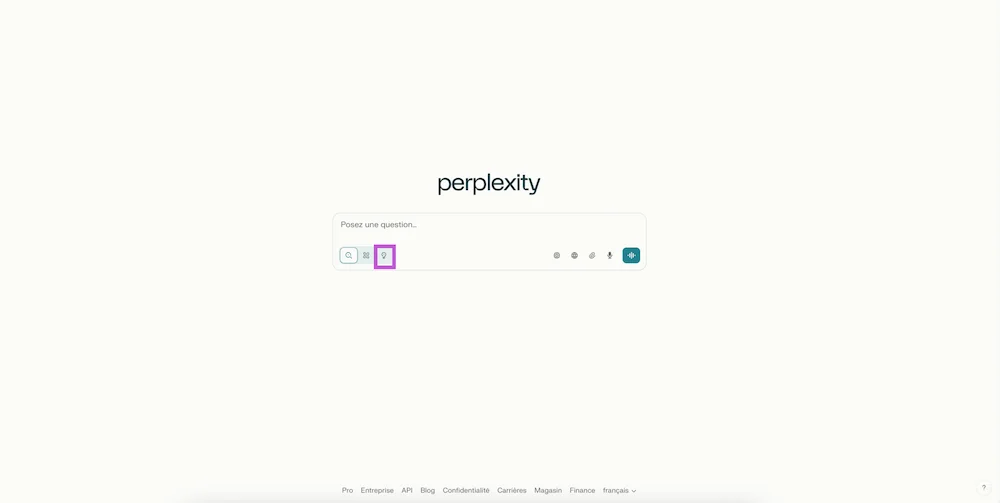
Perplexity AI is what a research assistant would look like if they could read the entire internet in real time. It searches current sources, synthesizes the information, and delivers a cited answer rather than a list of links to read manually. For students writing literature reviews or researching essay topics, it compresses hours of browser tabs into a focused, source-backed starting point.
Key features:
- Real-time web search: Every answer draws from current sources with no knowledge cutoff and no outdated information.
- Source attribution: Every claim is cited with a link you can verify and click through to the original source before including it in your work.
- Follow-up thread: Ask follow-up questions in context, building a research conversation rather than starting over with each new query.
- Academic source focus: Perplexity Pro can prioritize peer-reviewed papers and reputable academic sources over general web results.
Pros:
- Citation-ready research, unlike generic AI that can hallucinate sources confidently, Perplexity shows its work. Every claim has a link. That matters enormously for academic work where source accuracy is non-negotiable.
- Literature review compression, getting a sourced overview of a new topic in 10 minutes rather than 3 hours changes what’s possible across a research-heavy course load.
Cons:
- Not a replacement for primary sources, Perplexity is a starting point for research, not the endpoint. Always read the original papers before citing them in your own work.
- Academic source filtering requires Pro, the free tier searches the general web. Filtering specifically for peer-reviewed and academic sources requires the paid plan.
Pricing:
| Plan | Price | Details |
|---|---|---|
| Free | $0 | Basic search, limited daily queries |
| Pro | $20/month | Advanced models, academic sources |
For students writing multiple research papers per semester, Perplexity Pro pays for itself in the first literature review. The free plan is genuinely useful for general concept research and topic exploration.
5. ChatGPT
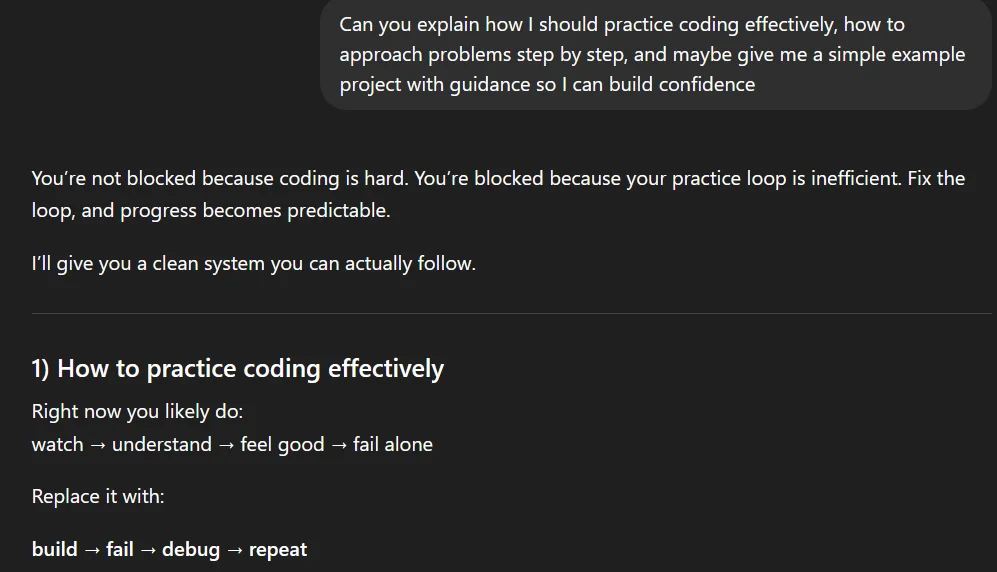
ChatGPT is the closest thing most students have to a patient, available-at-3am tutor who never gets frustrated when you ask the same question five different ways. It doesn’t do any single thing better than a specialized tool, but it explains concepts, generates practice questions, checks your reasoning, and helps you stress-test arguments better than almost anything else at this price point. For students, the tutor use case is the right one; the ghostwriter use case is the wrong one.
Key features:
- Concept explanation: Breaks down complex academic topics at whatever level of detail you need, from first introduction to deep technical understanding.
- Socratic questioning: Ask ChatGPT to quiz you on a topic rather than explain it, and it generates practice exam questions tailored to your material.
- Argument review: Share your essay thesis and ask “what are the strongest counterarguments?” as a way to stress-test your position before writing.
- Code and math assistance: For STEM students, ChatGPT walks through problem-solving step by step rather than just providing the final answer.
Pros:
- Available 24/7, the highest-leverage use for students isn’t writing essays. It’s having a tutor available at any hour who can explain the concept you didn’t understand in the lecture you just left.
- Learning-oriented use case, asking ChatGPT to explain something and then putting it in your own words is a legitimate, academically sound study method that builds real understanding.
Cons:
- Hallucination risk on specific facts, ChatGPT can generate plausible-sounding but incorrect information, especially for specific dates, statistics, or citations. Always verify before including anything in academic work.
- Academic integrity risk if misused, generating essay text and submitting it unchanged is the misuse pattern that gets students flagged. Use it to understand material, not to produce work you haven’t written.
Pricing:
| Plan | Price | Details |
|---|---|---|
| Free | $0 | GPT-4o mini, basic features |
| Plus | $20/month | Full GPT-4o, web browsing |
The free plan covers most student use cases across the year. Upgrade to Plus if you need web browsing for current events research or higher usage volume during exam periods.
Which AI Tool Fits Your Student Workflow?
Essay-heavy courses vs. research-heavy courses
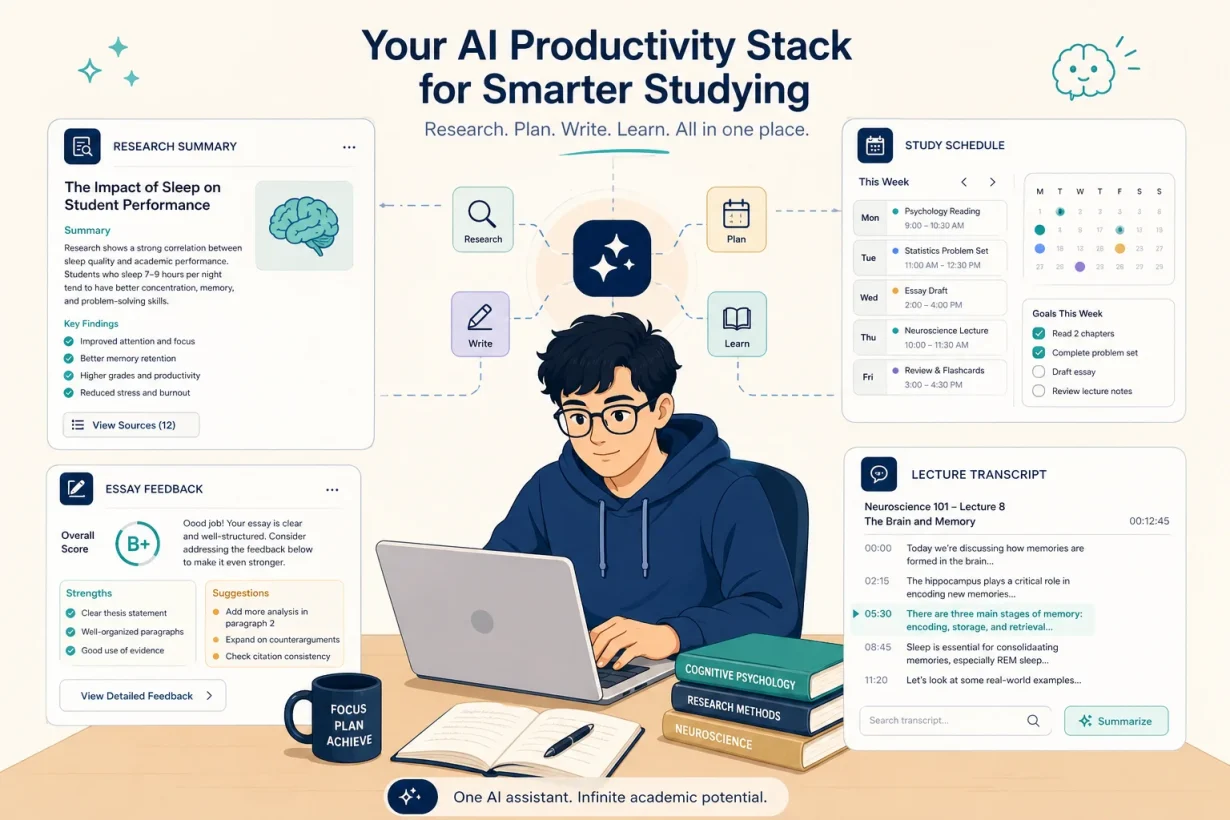
Students writing primarily essays and long-form papers need Grammarly for writing quality and Perplexity AI for sourced research starting points. Students in research-heavy programs with large reading loads need Notion AI for knowledge organization and Otter.ai to capture seminar discussions. The two stacks overlap but the priorities differ significantly depending on whether your bottleneck is writing or understanding.
Using AI to learn vs. using AI to avoid learning
Students who use the best AI tools for students to understand course material faster outperform students who use AI to avoid engaging with that material entirely. Using ChatGPT to explain a concept you didn’t understand, then writing about it in your own words, is a legitimate and effective study method. Using it to generate the words you submit as your own is a different thing entirely. The tools on this list make you a better student, not just a faster one; that distinction is the whole point.
Here’s the short version: if you want to study smarter without spending money, start with Grammarly Free and ChatGPT Free. If you’re doing serious research, add Perplexity AI and Notion AI on top.
Start Studying Smarter with GrabBest Today
The best AI tools for students shouldn’t feel like software you manage between deadlines. They should feel like the study partner who is always available, never judges you for asking basic questions, and helps you actually understand the material rather than just get through it.
Read our complete guide to the best AI productivity tools in 2026 to see how each tool fits into a full academic stack.
FAQ: Best AI Tools for Students (2026)
What are the best AI tools for students in 2026?
The best AI tools for students in 2026 are Grammarly for essay writing and editing, Notion AI for lecture notes and knowledge management, Otter.ai for lecture transcription, Perplexity AI for research and literature review, and ChatGPT for concept explanation and personal tutoring.
Are the best AI tools for students academically safe to use?
Yes, when used correctly. The best AI tools for students on this list are designed to assist your thinking, not replace it. Grammarly improves your writing. Perplexity provides cited research starting points. Otter.ai transcribes lectures. ChatGPT explains concepts. None of these replace academic work; they make it more efficient. Always check your institution’s AI policy before using any tool for assessed work.
What are the best free AI tools for students?
The best free AI tools for students are Grammarly Free for writing polish, ChatGPT Free for concept explanation and tutoring, Otter.ai Free for up to 300 minutes of lecture transcription per month, and Perplexity Free for general research queries. Together they cover the core student workflow at zero cost.
How do the best AI tools for students help with research?
Perplexity AI searches the web in real time and provides cited answers, giving students a source-backed overview of any topic in minutes. Notion AI synthesizes your own reading notes across your workspace. Together these two tools cover the research and organization phases of academic work without replacing the reading and thinking you need to do yourself.
Which of the best AI tools for students helps most with exam preparation?
ChatGPT is the strongest exam prep tool on this list. Ask it to quiz you Socratically on any topic, generate practice questions based on your lecture notes, or explain the concepts you’re weakest on at any hour. Notion AI complements it by surfacing key concepts from months of accumulated course notes on demand.
How much should students spend on AI tools?
Nothing, to start. The free plans for Grammarly, ChatGPT, Otter.ai, and Perplexity cover the core student workflow at zero cost. If you’re writing a dissertation or thesis with extensive research requirements, Notion AI at $10/month is the one upgrade most likely to pay for itself in time and grade outcomes.