




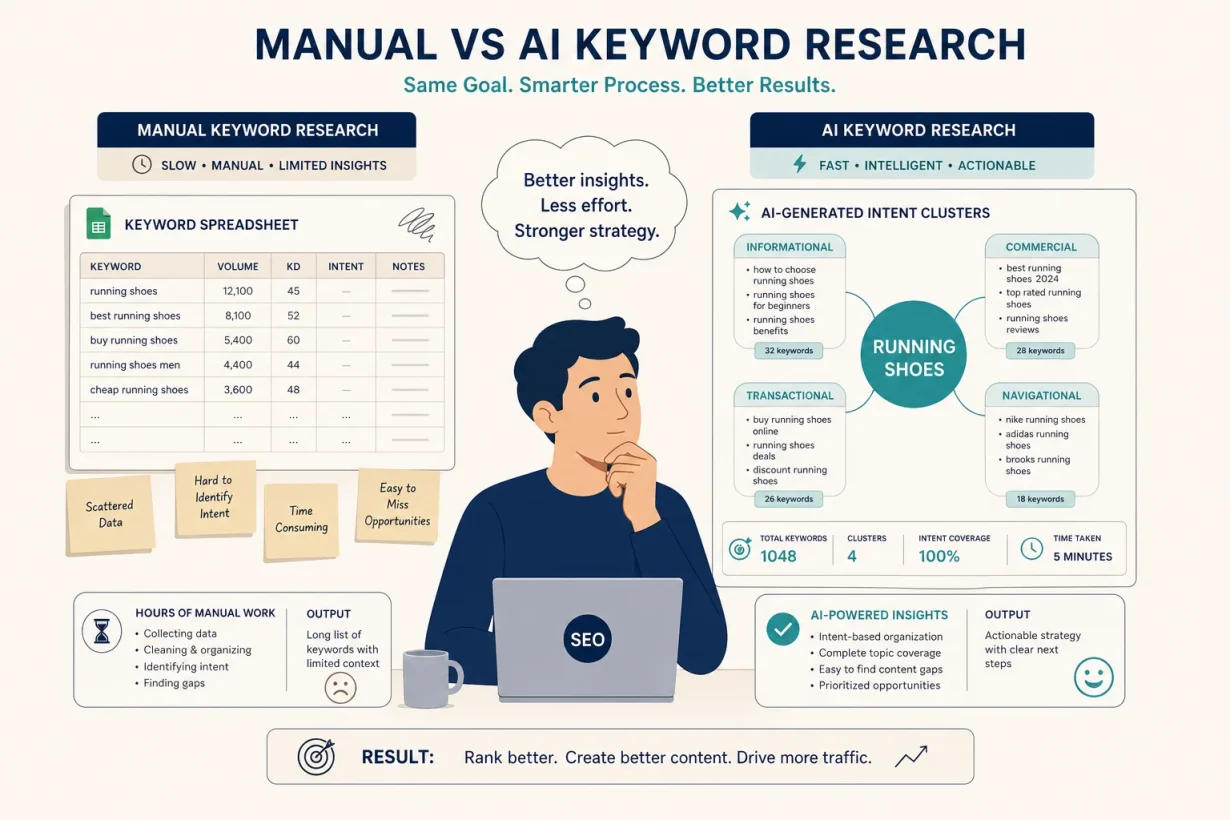

Manual keyword research is slow, repetitive, and leaves obvious opportunities on the table. This guide shows you exactly how to use AI for SEO keyword research — a workflow that surfaces better keyword ideas, faster, and with more context than traditional methods provide.
The average manual keyword research session takes 3–4 hours and produces a list dominated by the same high-competition keywords everyone else is targeting. An AI-assisted workflow takes 45–60 minutes and surfaces the long-tail, low-competition opportunities that actually rank for newer sites.
What Is AI for SEO Keyword Research ?
Using AI for SEO keyword research is not about replacing Ahrefs or Semrush with a chatbot. It is about using AI as a research strategist that identifies intent patterns, clusters semantically related terms, generates question-based long-tail variations, and maps content gaps: work that previously required hours of manual analysis across multiple tools.
These aren’t just smarter autocomplete tools. They are research teammates that process your niche, your competitors, and your existing content simultaneously to surface keyword opportunities that manual methods consistently miss. The AI finds the pattern; you make the editorial decision. That division of labor is what makes AI keyword research faster and more thorough than doing it alone.
Why AI for SEO Keyword Research Matters in 2026
Traditional keyword research starts with a seed keyword and expands it through a tool’s database. AI-assisted research adds two capabilities traditional tools lack: it understands search intent behind queries (not just volume), and it generates keyword ideas from semantic understanding rather than database lookups alone.
This means AI surfaces keywords that match user psychology what someone actually wants when they type a query — rather than just what terms get searched. For a new site competing against established domains, intent-matched long-tail keywords are where rankings are achievable in months rather than years.
The 4-Step AI Keyword Research Workflow
Step 1 — Generate seed topics with ChatGPT (10 minutes)
Before opening any SEO tool, use ChatGPT to generate a comprehensive topic map for your niche. This surfaces angles and subtopics that database-first tools often miss.
Use this prompt:
I'm building a content site about [your niche].
Generate 20 specific topics my target audience searches for,
organised into these categories:
- Problems they're trying to solve
- Tools or products they're comparing
- How-to tasks they want to accomplish
- Mistakes they want to avoid
For each topic, suggest the most natural search query a real person would type.
Step 2 — Expand with a dedicated SEO tool (20 minutes)
Take your top 10 ChatGPT-generated topics into a dedicated keyword research tool to get real search volume and difficulty data. For each topic:
- Check monthly search volume
- Check keyword difficulty (KD)
- Review the current top-ranking pages
- Note related keywords and People Also Ask questions
For low-DR sites (under DR 30), filter for KD under 25 before spending time on any keyword.
Step 3 — Identify content gaps with AI (15 minutes)
Paste the top-ranking article for your target keyword into ChatGPT and ask:
Here is the top-ranking article for "[keyword]": [paste content or URL]
What important subtopics, questions, or perspectives does this article miss
that a reader searching for "[keyword]" would genuinely want to know?
List 8-10 specific gaps.
These gaps become your content differentiation — the sections that make your article more comprehensive than what currently ranks.
Step 4 — Build a keyword cluster (10 minutes)
For every primary keyword you decide to target, use AI to build the supporting cluster:
My primary target keyword is: "[main keyword]"
Generate 15 related long-tail keywords that a reader interested in this topic
might also search for. Include:
- Question-based variants (how, what, why, which)
- Comparison queries (X vs Y)
- Audience-specific variants (for [profession], for [use case])
- Free/budget variants if relevant
Use these cluster keywords as H2 and H3 headers throughout your article and in future supporting content.
Best AI Tools for SEO Keyword Research
Surfer SEO — Best for content optimisation
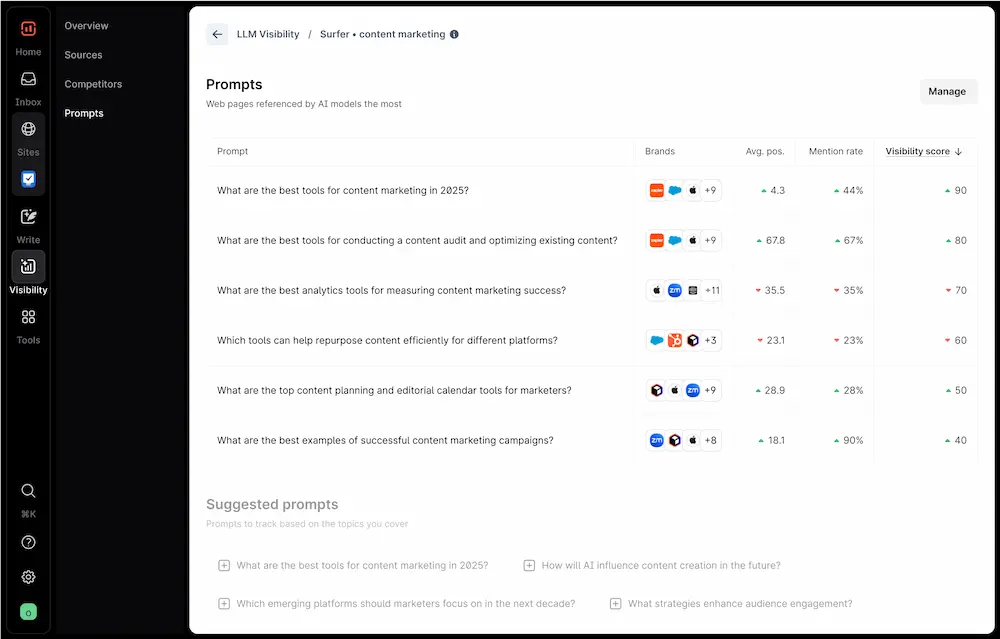
Surfer SEO analyses the top-ranking pages for your keyword and gives you a real-time content score as you write — telling you which terms, headings, and topics to include to match what Google is already rewarding. Its keyword research tool identifies related terms and their relevance scores from SERP analysis rather than just search volume.
Best for: Writers who want data-driven guidance on what to include in each article. Pricing: Essential $89/mo · Scale $129/mo
Frase.io — Best for research and outline building
Frase combines keyword research with AI-powered content briefs. Input a keyword, and Frase analyses the top results and generates a structured content outline covering the topics and questions your article needs to address. Better for research-heavy content; weaker than Surfer for real-time optimisation. Surfer SEO vs Frase comparison →
Pricing: Solo $15/mo · Basic $45/mo
Ahrefs Webmaster Tools — Best free keyword validator
Ahrefs Webmaster Tools (free for your own site) shows you which keywords you’re already ranking for, which pages have traffic potential, and where you’re losing to competitors. Essential for validating keyword opportunities before investing writing time.
Pricing: Free for verified site owners
ChatGPT Plus — Best for ideation and intent analysis
ChatGPT Plus is not a keyword database — it doesn’t have live search volume data. Its value in keyword research is ideation (generating keyword ideas from semantic understanding) and intent analysis (explaining what a searcher actually wants when they type a query). Use it in combination with a data tool, not as a replacement for one.
Pricing: Free (GPT-3.5) · Plus $20/mo
ChatGPT Prompts for Keyword Research
Prompt 1 — Search intent analysis
What does someone searching for "[keyword]" actually want?
Describe: their situation, their goal, what would make them satisfied
with the search result, and what format of content (list, guide,
comparison, tool) best serves that intent.
Prompt 2 — Competitor content gap analysis
Here are the H2 headings from the top-ranking article for "[keyword]":What important questions or subtopics are missing that a thorough article on this topic should cover?
Prompt 3 — Long-tail keyword expansion
Generate 20 long-tail keyword variants for "[primary keyword]".
Focus on: question-based queries, comparison queries, and
audience-specific variants. Avoid generic high-volume terms.
Format as a list with the keyword and estimated search intent
(informational/commercial/transactional) for each.
Prompt 4 — Featured snippet targeting
For the keyword "[keyword]", what question or definition format
would be most likely to win a Google featured snippet?
Write a 50-word answer optimised for the featured snippet format.
Validating and Prioritising Keywords
AI keyword suggestions need validation before you invest time writing. Apply these three filters to every AI-suggested keyword:
Filter 1 — Volume check: Minimum 300 monthly searches for a primary keyword, 100 for a supporting keyword. Below 300, the traffic ceiling is too low to justify a full article.
Filter 2 — Difficulty check: For sites under DR 30, target KD 10–25. For DR 30–50, KD 10–35 is achievable. Above your site’s DR threshold, you need strong topical authority established before targeting.
Filter 3 — SERP quality check: Search the keyword and look at the top 5 results. If they’re all Wikipedia, major news sites, or domain-specific authorities (WebMD for health, Investopedia for finance), the SERP is too competitive regardless of what the KD score says. If they’re mid-DR niche sites and blogs, the SERP is open.
Frequently Asked Questions
Can ChatGPT replace a keyword research tool?
No — ChatGPT cannot provide accurate search volume or keyword difficulty data because it doesn’t have access to live search data. Its value in keyword research is ideation, intent analysis, and content gap identification. Use it alongside a data tool (Ahrefs, Semrush, Surfer) rather than instead of one.
What is the best AI tool for SEO keyword research?
Surfer SEO is the best AI-powered tool for writing content that ranks — it gives real-time guidance based on what’s actually ranking for your target keyword. Frase.io is better for research and content brief creation. Ahrefs Webmaster Tools (free) is the best starting point for validating keyword opportunities without a paid subscription.
How do I find low-competition keywords with AI?
Use ChatGPT to generate audience-specific and use-case-specific keyword variants (e.g., “best AI tools for real estate agents” rather than “best AI tools”), then validate them in Ahrefs or Semrush. Audience-specific and job-to-be-done keywords consistently have lower KD than generic category keywords because fewer sites have created content specifically targeting them.
How many keywords should I target per article?
One primary keyword per article, with 3–5 secondary keywords naturally integrated. Secondary keywords appear in H2/H3 headings and throughout the body naturally — not forced. Targeting more than one primary keyword per article dilutes the topical focus and typically results in ranking weakly for multiple terms rather than strongly for one.
How long does AI keyword research take compared to manual?
The 4-step workflow above takes 45–60 minutes for a complete keyword cluster — compared to 3–4 hours for thorough manual research. The quality difference is that AI-assisted research surfaces more long-tail and intent-specific opportunities, while manual research tends toward the same high-volume, high-competition terms everyone else is targeting.